
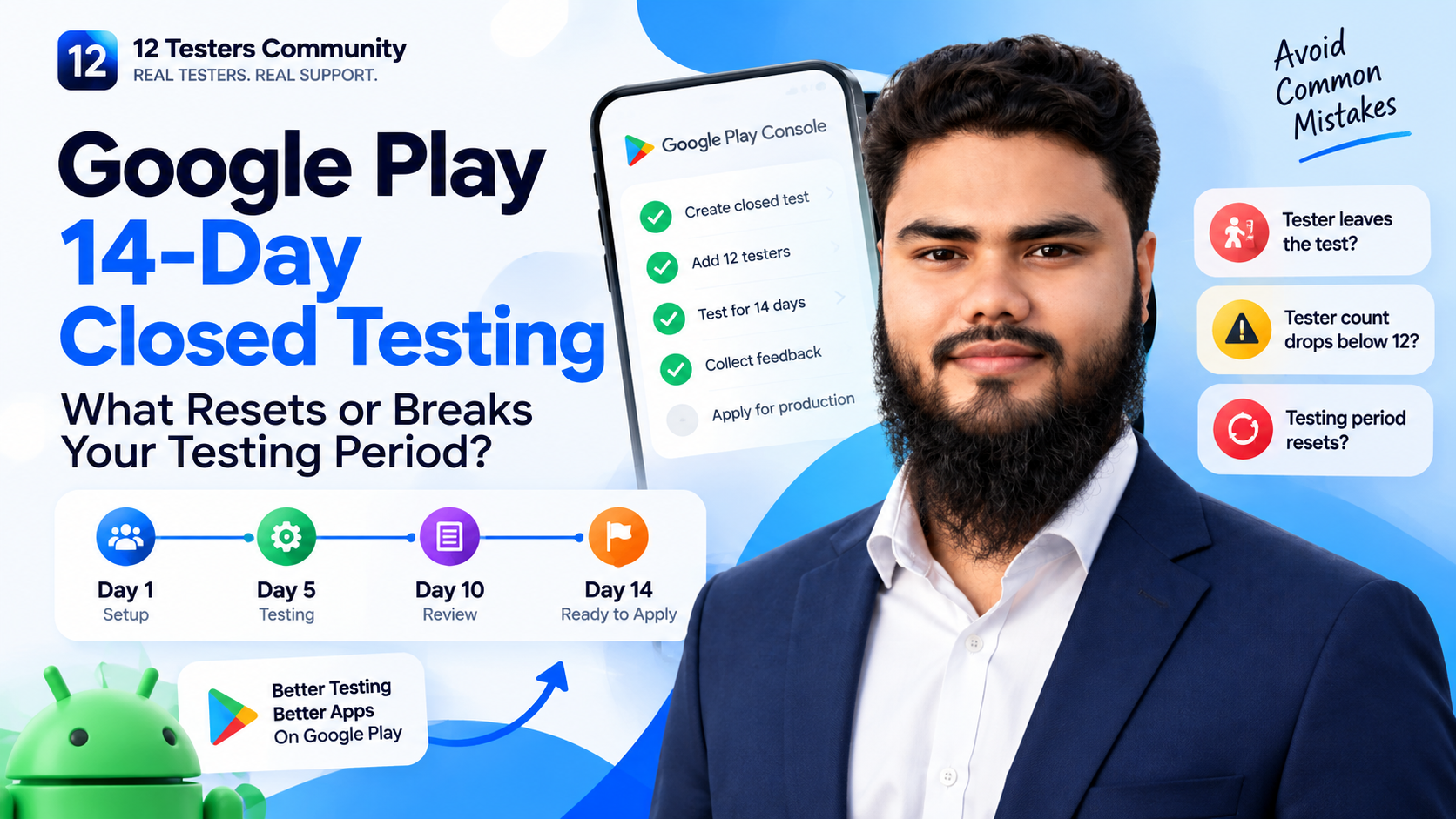
Last verified against Google Play Console Help: September 2026.
You are eight days into a closed test. Twelve testers were opted in, the app is holding up, and then someone messages you: they have changed phones, or they have lost interest, or they quietly left the test. Your first thought is the one every developer has at this point — has my 14 days just reset?
That fear is fuelled by the language people use about this process. You will read about a “counter”, a “clock”, and a “streak”, as though Google kept a single timer that a dropout can wipe out. Google does not describe the requirement that way, and the difference matters enormously when you are deciding whether to panic, replace someone, or simply carry on.
This article answers the specific question — what actually resets or breaks a 14-day closed testing period — and it does so with one rule throughout: anything Google publishes is quoted and labelled as official, and anything Google does not publish is labelled as practical guidance or our recommendation. Where Google's documentation is silent, we say so instead of inventing a mechanism.
Quick Answer: Can Your 14-Day Testing Period Be Affected?
Yes, but not in the way most guides describe. Google's requirement is expressed per tester and checked at the moment you apply: at least 12 testers opted in continuously for the preceding 14 days. So the thing that can be “broken” is not a global timer — it is whether the required number of testers each have an unbroken 14-day opt-in run behind them when you press Apply.
| What people call it | What Google actually documents | Can it affect your 14 days? |
|---|---|---|
| Continuous opt-in | Testers must be opted in continuously for the preceding 14 days. A tester who opts out and later opts back in needs 14 consecutive days again | Yes — officially. This is the only mechanism Google describes |
| Installation | Google does not state that an installed app is part of the tester count. The requirement is written in terms of testers opted in | Not documented. Treat “installed” as necessary for real testing, not as a published counting rule |
| Usage: opens, minutes, sessions | No daily-open rule, no session target, no minutes-per-day figure and no feedback quota appear anywhere in Google's testing documentation | Not documented. Any specific number you read online is somebody's operating habit |
| Meaningful testing and feedback | Google names “insufficient tester engagement during the testing period” as a reason it may require you to keep testing, and asks you to summarise your feedback when you apply | Officially relevant — but with no published threshold |
| Production-access eligibility | Meeting the criteria makes you eligible to apply. Google reviews the application itself and emails the outcome | Separate step. 12 testers and 14 days do not guarantee approval |
Read this before you read anything else: Google does not publish a “counter”, a “streak” or a global reset rule for the closed testing period. Its documented statement is about testers remaining opted in continuously, plus the two reasons it may ask for more testing. Everything beyond that — including several confident mechanisms you will find on other websites — is interpretation, not policy.
What Does Google's 14-Day Closed Testing Requirement Actually Mean?
The requirement applies to personal developer accounts created after 13 November 2023, and it is checked per app. Production and pre-registration stay disabled until it is satisfied. The Dashboard in Play Console is the authoritative source for your own account — it will either offer you “Apply for production” or it will not.
| Requirement | What it means | Official guidance |
|---|---|---|
| A closed test | The closed testing track specifically. Internal testing does not substitute for it, and open testing is only available after you have production access | “You must run a closed test before applying to publish your app to production” |
| A minimum of 12 testers opted in | The count that matters is testers who have completed the opt-in step — not the number of addresses on your list, and not the number of installs | “At least 12 testers must be opted in to your closed test when you apply for production access” |
| 14 continuous days of opt-in | Measured per tester as an unbroken run and checked against the 14 days immediately before you apply | “They must have been opted in continuously for the preceding 14 days” |
| Real engagement | Engagement matters, but Google attaches no published number to it — no daily opens, sessions or minutes | “Reasons for required continued testing include having fewer than 12 opted-in testers or insufficient tester engagement during the testing period” |
| Applied from the Dashboard | There is no automatic unlock. You apply, and Google reviews your submission | “Open the Dashboard in Play Console” → “Click Apply for production” |
If you want the wider process — how to set up the track, brief testers and run the fortnight — that is covered in our complete 14-day guide for 12 testers. This article stays on the narrow question of what can break the period itself.
What Does “Continuously Opted In” Mean?
This is the phrase that decides everything, and Google explains it in a single sentence that deserves to be quoted in full:
“Testers who opt in, test for fewer than 14 days, and then opt out do not count toward the requirement. If a tester opts out and opts back in later, the 14 days must be consecutive to count toward the minimum requirement of 12 continuous opted-in testers.”
— Google Play Console Help, App testing requirements for new personal developer accounts, FAQ
Three practical consequences follow from those two sentences, and they explain almost every “my clock reset” report we see:
- There is no single clock. There are as many 14-day windows as you have testers, each starting when that individual completes the opt-in.
- The window slides. Because the requirement is checked against the preceding 14 days when you apply, a tester's run only matters if it is still intact on the day you press Apply — not on the day you first thought about applying.
- A gap is personal, not global. If one tester opts out, their own run is the thing that is broken. Nothing in Google's documentation says the other testers' days are discarded — but your opted-in total is now one lower, and the total is a requirement in its own right.
Three testers opted in on different days, each needing their own 14 consecutive days before the developer can apply Three testers, three different 14-day windows Each bar starts when that tester opted in and must run unbroken for 14 days. You can apply when at least 12 testers are past that point. Tester 1 eligible on day 15 Tester 2 eligible on day 19 Tester 3 opted out on day 9 — needs 14 consecutive days again earliest sensible apply date Practical takeaway Your apply date is set by the slowest of your twelve testers — not by the day you published the release. Keep a buffer, so a late starter is never the reason you wait.
Opt-in dates are per tester. Tester 3's run is the one that is broken in this example — not everyone else's.
What Can Put Your 14-Day Testing Period at Risk?
These are the situations that genuinely put the requirement at risk. Each row separates what Google documents from what we recommend doing about it.
| Scenario | What Google documents | What we recommend |
|---|---|---|
| A tester opts out of the test | Officially the clearest case: a tester who opts in, tests for fewer than 14 days and then opts out does not count. If they opt back in, 14 consecutive days are required again | Replace them from a buffer. Their window restarts; everyone else's continues |
| A tester was never opted in at all | Not a reset — it was never counted. Google states that each tester needs to opt in using the link, and that for a Google Group, users must join the group before opting in | Check the opted-in figure, not your list. Anyone missing gets a personal message with the link and the account you added |
| Your opted-in count drops below 12 | The requirement is 12 opted in at the point of application. Fewer than 12 opted-in testers is one of the two documented reasons Google may require continued testing | Recruit 15–20 so a dropout cannot push you under the line while you wait |
| Confusing “installed” with “opted in” | Not documented as a counting rule. Google's wording is about testers opted in, and installation is separate | Track opt-in as your official number and installs as your practical one. Do not reconcile the two |
| Testers cannot access the test | Google states that the opt-in link is displayed only when the app status is “Published”, and that closed-test apps are not searchable on Google Play | Fix access before counting days. Access problems are the most common reason a “tester” was never actually a tester |
| Adding testers late in the window | No global reset is documented. What is documented is that each tester needs 14 consecutive days of opt-in | Expect the late addition to finish 14 days after they opt in. Plan your apply date around the slowest of your twelve |
| Pausing the track | Google documents that pausing a track stops testers receiving updates, and that the app stays installed. It does not publish what pausing does to opt-in status | Leave the track running until the application is decided. There is no benefit to pausing it early |
| A test that produces no engagement | Officially named: “insufficient tester engagement during the testing period” is the second documented reason for being asked to continue testing | Give testers a weekly focus, collect feedback, and act on it — engagement is the part you can actually influence |
Decision flow for working out whether a tester problem affects your 14-day closed testing period Is your testing period actually affected? Work through this in order. The answer depends on opt-in status, not on how the tester feels about the app. A tester has gone quiet or left Are they still opted in to the closed test? Yes No Their opt-in run continues Not using the app is not the same as opting out. Nudge them, and keep an eye on engagement. Their 14 days restart Replace them from your buffer, then check that 12 others still have 14 unbroken days.
The distinction that resolves most panic: a tester who stops using the app is not the same as a tester who has opted out.
What Happens If One of Your 12 Testers Leaves?
Almost every guide answers this with a confident mechanism. Google's documentation does not give one, so here is the honest version.
What is documented: the tester who opted out needs 14 consecutive days again if they return; and you must have at least 12 testers opted in continuously for the preceding 14 days when you apply.
What is not documented: any statement that one tester leaving invalidates the days accumulated by the other eleven. If you see a page claiming that Google “resets the counter for the whole test”, that page is describing an interpretation, not published policy — and in our experience the confusion usually comes from a different, more mundane cause: the tester who left was one of the twelve you were relying on, so your eligible total is now eleven.
What to check in Play Console:
- The opted-in tester figure for the closed testing track — this is the number the requirement refers to.
- Whether the tester who left still appears among the opted-in testers, or has dropped off the test entirely.
- Whether everyone else in your twelve is still opted in. One dropout masks another if you only ever check the total.
- Whether the remaining eleven (plus buffer) give you twelve testers whose own 14-day runs are intact on the day you plan to apply.
Practical note: Play Console shows you which testers are attached to the track and their participation status, but Google does not publish a per-tester opt-in date or activity report. That is why we recommend keeping your own dated log — when each tester confirmed their opt-in, and when anyone went quiet. It is the only reliable way to know which of your twelve are genuinely past day fourteen.
Does Adding a New Tester Restart the 14 Days?
No — not in the sense the question usually implies. Google does not publish any rule that changes to your tester list restart a shared period. The documented rule is written per tester, so a new tester simply begins their own 14-day run, and the others continue theirs.
What that means in practice is easier to see if you separate three ideas that get mixed together:
| Replacing a tester who left | Adding extra testers for buffer | |
|---|---|---|
| Effect on the incoming tester | Their own 14-day run starts when they opt in | Same — a fresh per-tester run |
| Effect on existing testers | None documented. Their runs continue as long as they stay opted in | None documented |
| Effect on your apply date | You wait until twelve testers each have 14 unbroken days at the same moment — which the replacement may push back | None. Extras cannot delay you; you simply need twelve of the group to qualify |
| Common mistake | Removing the departed tester from the list after you have already applied | Assuming buffer testers are optional and skipping them to “save a slot” |
So the honest answer to “does adding a tester restart the 14 days?” is: it restarts that tester's fourteen days, because they never had any. It does not reset anyone else's, according to Google's published rule. And because the requirement is judged on the day you apply, the practical effect of a late addition is a later apply date rather than a broken test.
Does Uninstalling the App Remove a Tester From the Test?
This is one of the most common sources of worry, and one of the places where the internet is most confident and least supported.
What is documented: testers must be opted in, and installation is what allows them to test anything. Google also documents that testers receive updates for closed versions and that the app remains installed if you end a test.
What is not documented: any statement that uninstalling the app automatically opts a tester out. Opt-in is a status in the testing track; installation is a state on a device. Google's testing documentation does not treat them as the same thing, and no page we can find from Google says that uninstalling equals opting out.
What we recommend instead of guessing:
- Ask testers not to uninstall during the fourteen days. Not because it demonstrably breaks the count, but because a tester without the app cannot test, and engagement is one of the two documented reasons for being asked to continue testing.
- If a tester changes phones, treat it as a re-onboarding. Send them the link again, confirm they can install, and confirm they are still showing as opted in — then note the date in your log.
- If you need certainty about one tester, verify in Play Console rather than assuming. If they still appear as opted in, their run has not been affected as far as the published rule goes.
Be careful with confident claims. You will find guides stating that uninstalling resets a tester, that the count requires an installed app, or that a “counter” is paused when the app is not opened. None of that appears in Google's testing documentation. Where Google is silent, the safest posture is to keep testers opted in and installed — the conservative option satisfies both readings.
Opted In vs Installed vs Actually Testing
Five different states get described as “being a tester”. Only one of them is the state the requirement is written about.
| Status | Meaning | Why it matters |
|---|---|---|
| Invited | You added their email address to the tester list, or they joined your Google Group | Counts for nothing. This is where “I have twelve testers” usually breaks down |
| Opted in | The tester opened the opt-in link and accepted the tester terms themselves | The state Google's requirement refers to. Their 14 days start here |
| Installed | The test build is on their device and updates to new test versions | Necessary for testing to happen, but not documented as part of the opt-in count |
| Testing | They are using the app — exercising features, hitting edge cases, noticing friction | What makes the fortnight worth running. No published daily quota exists |
| Providing feedback | They report what they found, through your channel or as private feedback through Google Play | You must summarise feedback when you apply, so this is what gives your application something to say |
Do Testers Need to Open the App Every Day?
There is no publicly documented Google rule requiring a specific number of daily app opens, sessions, minutes or feedback messages. If a guide gives you a number, ask for the Google page that states it — you will not get one, because it does not exist.
Two separate things are true, and keeping them apart is the whole trick:
- Opt-in continuity is the documented requirement. It is about the tester's status in the track, not about their behaviour on a particular day.
- Engagement is documented as a reason to keep testing, without a threshold. Google names “insufficient tester engagement during the testing period” as one of two reasons it may ask you to continue. It does not define “insufficient”.
So the useful question is not “did they open it today?” but “would I be comfortable describing this fortnight of usage in my application?” Our practical recommendation, not an official rule: ask testers to use the app several times across the two weeks, do something different each time, and report anything that surprised them. That produces both the engagement you cannot measure and the feedback you must summarise.
If engagement is the part you are worried about, the mechanics of keeping people involved are covered in how to keep 12 testers opted in for 14 days.
Why Google May Ask for More Testing After 14 Days
Completing fourteen days does not guarantee production access. It makes you eligible to apply. Google reviews the application and emails the account owner, and the review usually takes seven days or less — though it can occasionally take longer.
Google documents exactly two reasons for requiring continued testing:
- Fewer than 12 opted-in testers at the point of application.
- Insufficient tester engagement during the testing period.
That is the complete documented list. We do not know how Google weighs signals inside its review, and neither does anyone else writing about this — that process is not published. What we can say is that both documented reasons point at the same two things you control: whether twelve testers are genuinely opted in, and whether the test looks like a real test.
Alongside the decision itself, Google asks you to confirm your app is ready before you submit. Its stated areas are worth reviewing while you wait, because they are the things a review will encounter:
| Area Google flags | What to confirm |
|---|---|
| App content and features | Content, features and monetisation comply with Play policies. No placeholder screens, no permission you cannot justify |
| Targeting and content rating | Declared target age group and store listing match the app's actual audience and content |
| Functional reliability | Stable build: no crashes, broken functionality or missing screens in the version you describe |
| Test credentials | Valid, working login credentials in Play Console so reviewers can reach the features you described |
If you do get asked for more testing, the recovery path — what to change and what not to tear down — is in why production access is still rejected after 14 days.
How to Protect Your 14-Day Testing Period
These are the habits that keep a period intact. Everything here is our recommendation unless a row says otherwise.
- Recruit a buffer of 15–20 testers. Then a dropout changes your margin, not your eligibility.
- Confirm opt-in, not intention. A short message — “reply when the app is installed” — turns a list into a count. Google's own guidance is to tell testers they must remain opted in continuously for at least 14 days.
- Keep your own dated log. Record when each tester confirmed their opt-in. Google publishes no per-tester opt-in history, so this log is your only reliable record.
- Check the opted-in figure twice a week, not once at the end. Problems found on day 12 are cheap; problems found on day 15 are not.
- Tell testers the one sentence that matters: “please stay in the test — leaving restarts your own 14 days.”
- Make access boringly easy. One link, one account, clear instructions. Access failures masquerade as tester dropouts.
- Give a weekly focus. “This week, try the export feature” produces engagement and feedback; “keep testing” produces neither.
- Ship fixes during the test. Updating a closed test is normal and Google recommends continuing tests while you resolve reported issues. Avoid changes that could interrupt installs or opt-ins.
- Do not reorganise the tester list mid-window unless you are replacing someone who has left. Every edit is a chance to introduce an accidental opt-out.
- Do not pause or end the track before the decision. Keep it running while Google reviews your application.
A Practical 14-Day Testing Workflow
The following sequence is a recommended workflow, not an official Google schedule. Google prescribes the outcome — 14 continuous days of opt-in with genuine engagement — not a day-by-day plan. This is simply how we would sequence the fortnight so that week two is not spent wondering what to do next.
Recommended 14-day closed testing workflow, from tester setup on day one through to preparing the production access application A recommended 14-day workflow A suggested sequence — not an official Google schedule. Google's requirement is 14 continuous days of opt-in. 1 Day 1 — Tester setup Confirm the project is published, send the opt-in link, and check how many testers are opted in. 2 Days 2–5 — Core features Testers finish the app's main task from a fresh install. Log every report, fix blockers immediately. 3 Days 6–10 — Broader workflows Edge cases, denied permissions, offline use, error states. Nudge quiet testers personally. 4 Days 11–13 — Regression Re-test what was reported and fixed. Turn your notes into themes for the application. 5 Day 14+ — Review and apply Confirm 12 testers each have 14 unbroken days, then apply from the Dashboard. Keep testers opted in and installed throughout — including while your application is under review.
Five phases across the fortnight. Adapt the focus to your app; the thing that must not change is tester opt-in continuity.
What to Check Before Applying for Production Access
This list is about the integrity of your testing period rather than the wider application. For the questionnaire itself — every question Google asks and what each one is really looking for — see our guide to answering the closed testing questionnaire.
- The opted-in figure is at least 12 today — checked in Play Console on the day you apply, not remembered from last week.
- Those 12 have 14 continuous days behind them according to your own log, with any opt-out gaps identified.
- No one in your twelve is a “maybe”. If a tester's status is unclear, count them as zero and use your buffer.
- Your feedback summary is written as themes, with what testers reported and what you changed.
- App content declarations cleared — nothing sitting in “Needs attention”, privacy policy live, ads declared, target audience and rating complete.
- Working test credentials in Play Console if any part of the app needs a login.
- The build you describe is the build testers used — stable, with no crashes or unreachable screens.
- Your answers are drafted outside the form. Google states that clicking Discard, or leaving without completing each step, means your answers are not saved.
- Testers will stay opted in for as long as the review takes.
Frequently Asked Questions
Do I need exactly 12 testers?
No — 12 is the minimum. Google's requirement is “at least 12 testers” opted in continuously for the preceding 14 days, and there is no penalty for having more.
Does the 14-day period need to be continuous?
Yes, per tester. Google states that testers must have been opted in continuously for the preceding 14 days when you apply.
What happens if a tester leaves?
Their own 14-day run is affected: Google's FAQ says a tester who opts in, tests for fewer than 14 days and then opts out does not count, and that opting back in requires 14 consecutive days again. Google does not publish any rule that discards the other testers' days, so replace the leaver from your buffer and check that your opted-in total is still at least 12.
Can I replace a tester?
Yes. A replacement simply starts their own 14-day run when they opt in. If you are replacing someone mid-window, expect your apply date to move to whenever twelve testers each have 14 unbroken days at the same moment.
Does uninstalling the app remove a tester from the test?
Google does not document that. Opt-in is a status in the testing track and installation is a state on a device; no Google page says uninstalling equals opting out. Practically, a tester without the app cannot test, so ask them to keep it installed until the test ends.
Do testers need to open the app every day?
No — there is no documented daily-open rule, nor a minutes, session or feedback-message quota. What Google documents is continuous opt-in, and it names insufficient engagement as a reason it may ask for more testing.
Do testers need to submit feedback?
There is no published minimum number of feedback messages. But Google requires you to summarise your testing feedback when you apply, so a test that produces none leaves you with nothing to submit.
Does installing the app count as testing?
No. Installation makes testing possible; it is not the same as use, and Google's requirement is written about testers being opted in, not about installs.
Can I apply for production immediately after 14 days?
Once at least 12 testers have been opted in continuously for the preceding 14 days, the Dashboard allows you to apply. Confirm the opted-in figure yourself before you start the form.
Why does Google sometimes request more testing?
Google documents two reasons: fewer than 12 opted-in testers, and insufficient tester engagement during the testing period. Those are the only published reasons.
Can I use a Google Group for testers?
Yes. Google supports email lists and Google Groups, and notes one extra step for groups: users must join the group before opting in.
Does completing 14 days guarantee production access?
No. It makes your app eligible to apply. Google reviews each application and emails the account owner with the outcome.
Official Google documentation
- App testing requirements for new personal developer accounts — the 12-testers and 14-day requirement, the continuous opt-in FAQ, and the reasons continued testing may be required
- Set up an open, closed, or internal test — tester management, opt-in links, feedback, and what pausing a track does
- Prepare your app for review — App content declarations and sign-in details for reviewers
- Prepare and roll out a release — releases, version codes and tracks
Final 14-Day Testing Checklist
Save this list and work down it before you press Apply.
- At least 12 testers show as opted in today.
- Each of those 12 has 14 continuous days behind them, checked against your own log.
- No tester in the twelve has an unexplained gap in their opt-in.
- Everyone is still installed and able to use the current test build.
- Feedback is summarised into themes, with what you changed because of it.
- App content declarations are clear, and test credentials work.
- The build you describe is stable and matches what testers used.
- Answers are drafted outside the form, ready to submit in one sitting.
- Testers know to stay opted in while the review runs.
Conclusion
The most useful shift in thinking is this: there is no single 14-day clock to break. Google's requirement is that at least twelve testers have each been opted in continuously for the preceding fourteen days at the moment you apply. That makes a dropout a staffing problem rather than a catastrophe — you replace the person, you check your total, and you keep going.
Everything else follows from separating what Google publishes from what the internet asserts. Google publishes the 12 and the 14, the continuous opt-in rule, and the two reasons it may ask for more testing. It does not publish a global reset mechanism, a daily activity quota, or a rule that uninstalling the app opts a tester out. Where a guide states those things confidently, it is describing interpretation as policy — and acting on it is how developers end up restarting tests they never needed to restart.
You cannot shorten the fortnight, and nobody can guarantee the review. What you can control is whether twelve testers are genuinely opted in, whether the test looked like a real test, and whether you can describe both honestly in your application.
12 Testers Community runs Google Play closed tests for indie developers every day: 12 or more real testers on real Android devices, kept opted in for the full 14 consecutive days, with each day of progress tracked live in your dashboard and a written report of their feedback at the end — so the summary you submit describes what actually happened, and a dropout is our problem to replace rather than yours to panic about. We will not promise you production approval; that decision is Google's, not ours.
See testing plans and pricing · see how the 14 days work · read the service FAQ · or create your campaign. If you are mid-test and want to check your position, start with the complete 14-day guide or the tester setup walkthrough.
