
Last reviewed against current Google Play Console Help and Android Developers documentation.
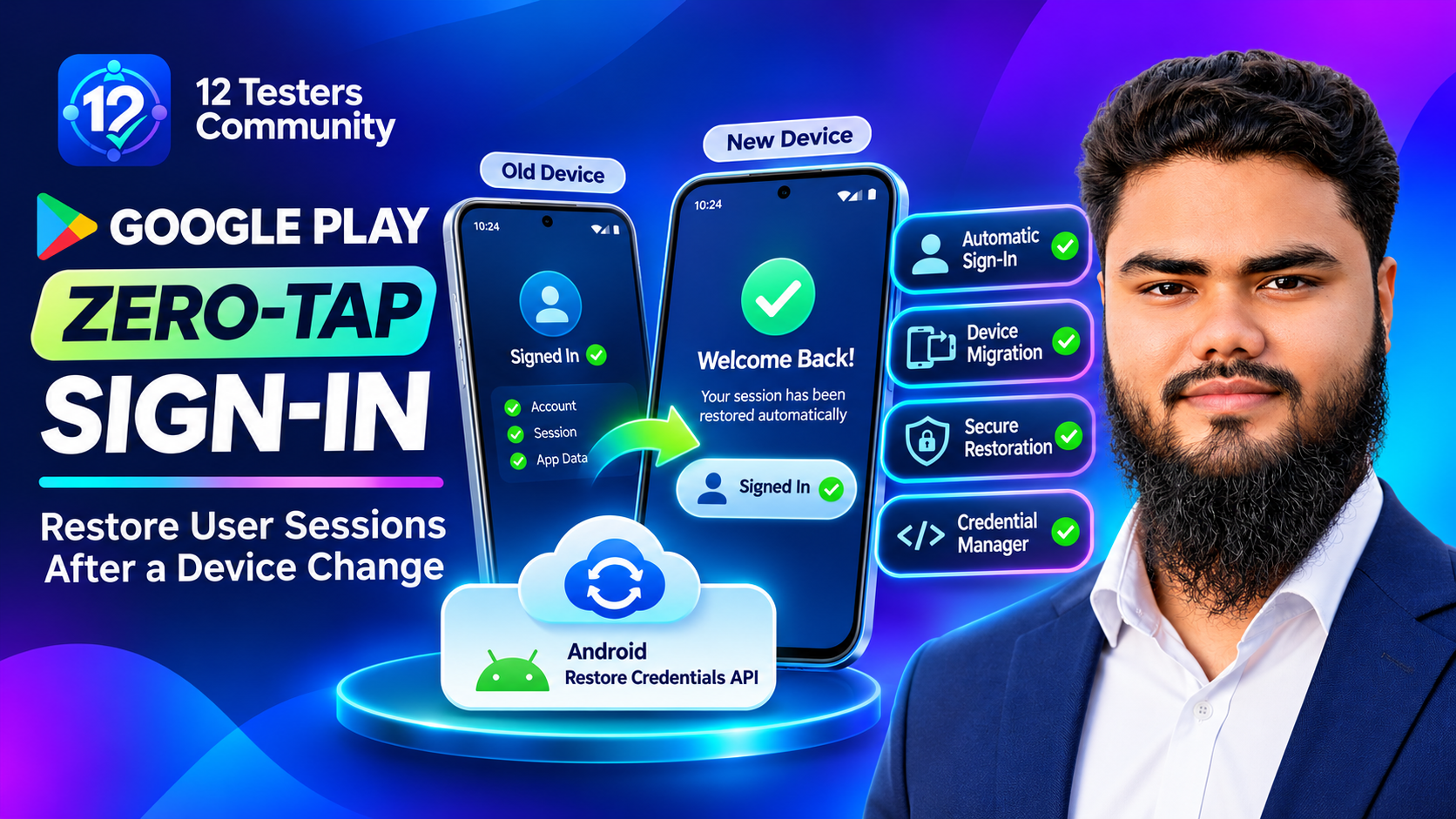
Changing phones has always meant one guaranteed chore: opening every app and signing in again. For users that is a mild annoyance; for apps it is churn — accounts abandoned at the first login screen and password-reset tickets. Google Play has made fixing that a requirement: apps that support sign-in must support Zero-Tap Sign-In restoration when a user moves to a new Android device and restores their data, using Android's Restore Credentials API as the primary mechanism. This guide covers what the requirement says, how the API works, and how to test both restore paths before you ship.
Quick answer: what developers need to know
- The requirement: apps with optional or mandatory sign-in must restore the user's session after a device-to-device transfer or cloud restore.
- The recommended method is the Android Restore Credentials API, from Android 9 (API level 28).
- The timing is Google's announced April enforcement deadline — announced, not yet enforced.
- A restore key is not a password. It is a WebAuthn-style credential, transferred by Play services, that your backend verifies before issuing a session.
- Two restore paths are needed: a background attempt in
BackupAgent.onRestoreFinished()plus a foreground fallback, because the background path depends onallowBackup="true". - Push tokens are not restored. Fetch a fresh FCM token, or notifications stay silent until the app is opened.
What Zero-Tap Sign-In actually means
A restore credential — also called a restore key — can be saved locally or backed up to a cloud provider and used to provision access on the user's new device. Google describes the outcome simply: users get their app accounts restored and are signed in the first time they open the app after setting up a new device.
This is not the same as restoring app data. Backup restores preferences, drafts and databases; it does not prove who the user is. A restore key establishes identity so a session can be issued, and carries no user-facing secret. Use both — identity with Restore Credentials, state with Auto Backup — while excluding raw auth tokens and Keystore ciphertext from backup.
Why Google introduced the requirement
Google frames it as a device-migration problem: silent restoration removes extra login screens and recovery prompts, cutting drop-off on upgrades. The developer benefit is that an app authenticated from first launch reaches the user with notifications immediately, without a login wall.
Which apps are affected — and who is exempt
The scope is stated precisely: apps that support user sign-in, whether optional or mandatory. If your app has no account system at all, this requirement asks nothing of you.
| Item | Official position | What to check |
|---|---|---|
| Scope | Apps with optional or mandatory sign-in, restored via D2D transfer or cloud backup | Account system? Both restore paths? |
| Recommended API | Restore Credentials API, Android 9 (API level 28) and above | Credential Manager and Play services versions |
| Timing | Google's announced April enforcement deadline | Treat as upcoming; plan the work |
| Form factors | Mobile and tablet only | No cross-category restore (Wear OS, TV, Auto, XR, ChromeOS) |
| Games | Out of scope; single-account games are encouraged to use the API | Confirm scope before committing engineering time |
| Enterprise | Permanently private and enterprise device-management apps are outside scope; Block Store integrations restoring sign-in state by Google's published cutoff are compliant | Confirm your distribution model and the cutoff date |
| Regulated apps | Apps under strict regulatory mandates may be eligible for exemption via a Play Console request before enforcement | Submit the request early if this applies |
What the Restore Credentials API is
Restore Credentials is a feature of Credential Manager, Android's unified authentication API. The relationship explains both the implementation and the server work:
- Credential Manager is the client-side entry point. The same object handles passkeys, passwords and Sign in with Google; Restore Credentials is one more credential type inside it.
- The server side is WebAuthn. The cryptographic validation matches passkeys, so existing WebAuthn registration and assertion endpoints can be reused.
- Restore keys are not passkeys. Store them with a distinct credential flag so they stay hidden from passkey management screens and exempt from user-verification checks.
Compatibility is explicit: Android 9 (API level 28), Play services core version 242200000, and androidx.credentials 1.5.0 or higher. Where Play services is missing or too old, catch CreateCredentialProviderConfigurationException and GetCredentialProviderConfigurationException and fall back to standard sign-in.
How the restore credential lifecycle works
Google describes a three-stage lifecycle across old and new device, each with a different failure mode.
Stage 1 — Create the key on the old device
Cover every route into a signed-in state, because an active user with no restore key cannot be restored later: create the key on sign-in or registration, and on startup when already signed in.
Two details cause most trouble. First, store a sync flag such as has_synced_restore_credential to avoid calling createCredential() on every launch — but exclude it from backup, or Auto Backup copies true to the new device and stops it generating its own key. Second, call with isCloudBackupEnabled = true and fall back to false only on E2eeUnavailableException; reversing that order produces a key that transfers over a cable but is missing after a cloud restore.
Stage 2 — Retrieve on the new device
The retrieval request is unusual: the app does not yet know who the user is, so the challenge endpoint must be unauthenticated. Send allowCredentials empty or omit it, and use the userHandle in the response to identify the account.
Two constraints trip people up. Never combine GetRestoreCredentialOption with another option — that throws an IllegalArgumentException. And set userVerification to "discouraged": restoration is silent, so the authenticator data your server receives carries uv = false.
Stage 3 — Verify and issue a session
Send the assertion to your backend, which must verify the cryptographic proof and issue a new session token — not flip a local flag.
Implementation architecture
Backend verification and security
Restore Credentials is a WebAuthn flow, so the security properties depend on your server, not your app.
Verify the signature, always. The assertion carries authenticator data and a signature over a server-issued challenge. A backend that trusts a client-supplied user identifier, or a local "signed in" flag, has turned a cryptographic proof into a claim anyone can fake.
Accept uv = false for restore keys only. Restoration is silent, so user verification is not performed. Keep that exemption scoped to restore-key assertions rather than weakening passkey verification.
Keep restore keys out of user-facing passkey lists. Tag them with a distinct credential flag so they never appear in passkey management screens.
Allow several keys per user, with a TTL. A user may have a phone and a tablet, so support multiple active keys per account — keyed by device or installation ID — rather than overwriting one row. Uninstalling the app deletes the local key without telling your server, so retain keys long enough to survive an upgrade window and prune by inactivity.
Restore keys versus normal sign-in
| Aspect | Normal manual sign-in | Credential restoration |
|---|---|---|
| User experience | User types or selects credentials on the new device | Silent; no prompt in the normal path |
| Device migration | Same friction as any first login | Works after cloud restore or D2D transfer, subject to the conditions below |
| Backend verification | Password or passkey assertion verified | WebAuthn assertion verified, with uv = false accepted |
| Fallback required | None — it is the fallback | Yes: no key, old Play services, managed profile, offline restore |
| Sign-out behaviour | Session token cleared | Session token and restore key must both be cleared |
Note the last row: restoration is not unconditional. It depends on a key having been created, on current Play services, on the user having restored data, and on your backend accepting the assertion. A user who skips restore, or installs fresh with no backup, sees a normal login.
Background restoration and foreground fallback
Google specifies two tiers, and the reason is android:allowBackup: Play services transfers the restore key regardless of that flag, but the background sign-in only runs when backup is enabled and a backupAgent is declared. Studio's cloud-backup test also needs allowBackup="true"; device-to-device does not.
Implement both: the background pass means sync and push resume before the user opens the app, and the foreground fallback — getCredential() from lifecycleScope before showing the login screen — covers allowBackup="false" and offline restores. Override onRestoreFinished(), not onRestore(), which only serves legacy key-value backups, and set android:fullBackupOnly="true" if you add a BackupAgent to an app already using Auto Backup. Then register a fresh FCM token: push tokens are not restored with the credential, so confirm delivery again using our Android push notification testing checklist.
Testing Restore Credentials in Android Studio
Google documents two testing shapes: a source device plus a target device, or a single device where you back up, uninstall, reinstall and restore. Cover more than one API level, since minimum and target SDK differences change which Play services version you are really testing against.
Prerequisites: Android Studio Otter or higher; a virtual or physical device on Android 9 (API level 28) with a Google Play system image and Play services 242200000; a Google Account with a screen lock set, so cloud end-to-end encryption is active; and a debuggable build.
The flow: sign in, use Backup App Data on the running device window, choose Device to Device or Cloud, then uninstall and reinstall (or install on the second device) and use Restore App Data. Confirm in Logcat that onRestoreFinished() retrieved the credential, or just open the app and check you are signed in.
Command line and CI: use bmgr for headless testing — bmgr enable true, bmgr backupnow <package>, bmgr list sets, bmgr restore <token> <package> — or JUnit 5 host tests with BackupRestoreController to cover CLOUD_ENCRYPTED and DEVICE_TO_DEVICE.
Cloud backup versus device-to-device testing
| Aspect | Cloud backup | Device to device |
|---|---|---|
| Setup | Google Account, backup enabled, screen lock | Two devices, or one with uninstall/reinstall |
Studio test needs allowBackup |
Yes | No |
| What to verify | Key arrives, backend accepts uv = false, session issued |
Same, plus that the key moved without cloud backup |
| Known limitation | Returns nothing if E2EE is unavailable or the user opted out | Does not exercise the cloud-specific failure modes |
Common problems and troubleshooting
Log the device model, API level, Play services version and whether a key was created before you debug. Following a reproducible bug report template stops the same restore failure being rediscovered by every tester.
| Symptom | Likely cause | Safe investigation step |
|---|---|---|
| No restore credential on the new device | Key never created, or created only after sign-out | Confirm createCredential() runs on sign-in and launch; check the sync flag |
| Restore silently does nothing | Play services older than 242200000 |
Check the GMS version; catch the provider-configuration exceptions and fall back |
| Works over cable, fails after cloud restore | Key created with isCloudBackupEnabled = false |
Confirm you pass true first and only fall back on E2eeUnavailableException |
E2eeUnavailableException thrown |
No cloud backup or no screen lock | Retry with isCloudBackupEnabled = false so D2D still works |
| Backend rejects the assertion | Verifier requires uv = true, or the challenge came from elsewhere |
Accept uv = false; verify challenge issuance and origin |
IllegalArgumentException on retrieval |
GetRestoreCredentialOption combined with another option |
Send a request containing only the restore option |
| Signed out, but still restored next launch | Only the session was cleared, not the restore key | Perform the dual clear and delete the local sync flag |
| No restoration in a managed work profile | Enterprise policy blocks cross-device credential transfer | Fall back to standard sign-in; not a bug |
Pre-release checklist
- Key creation covered on every entry point: sign-in, registration, and app launch when already signed in.
- Sync flag excluded from backup so the new device still generates its own key.
isCloudBackupEnabled = truefirst, with the local-only retry onE2eeUnavailableException.- Background tier implemented in
onRestoreFinished(), withfullBackupOnlyset if you already use Auto Backup, plus a foreground fallback. - Backend verifies signatures and accepts
uv = falsefor restore keys only. - Restore keys flagged separately from passkeys and hidden from passkey management, with multiple active keys per user allowed.
- Dual clear on sign-out, plus removal of the local marker.
- Fresh FCM token registered after restoration.
- Both restore paths tested: cloud and device-to-device, single-account and multi-account, managed profile if relevant.
Frequently asked questions
Is this requirement already enforced?
Google describes it as taking effect from its announced April enforcement deadline. Treat it as a published upcoming requirement and plan the work.
Do we need passkeys to use Restore Credentials?
No. Your client app can support restore keys without user-facing passkeys; you need a WebAuthn-capable relying party server, and an existing passkey setup can reuse its endpoints.
Why does allowBackup="false" still restore on some devices?
Because key transfer is independent of that flag: Play services moves the RestoreCredential pair over encrypted cloud backup or local D2D regardless. The flag only affects background sign-in and Studio's cloud test.
Does this work when moving from a phone to a tablet?
Yes, on phones, foldables and tablets on Android 9 or higher with current Play services. Cross-category restoration — to Wear OS, TV, Auto, XR or ChromeOS — is not supported.
Our app is a game — does this apply?
Google states games are out of scope, with dedicated guidance for complex gaming authentication coming. For single-account games it encourages the API anyway.
Conclusion
Google Play Zero-Tap Sign-In turns a long-standing annoyance into an engineering requirement: after a device migration with data restore, an app that supports sign-in should already know who the user is.
The implementation is narrower than it looks. Create a restore key on every path into a signed-in state, back it up with cloud enabled and fall back to local-only when end-to-end encryption is unavailable, retrieve it with a single userless request, and let your backend verify the assertion before issuing a session. Test both restore paths, because the background tier depends on allowBackup while key transfer does not. What teams most often miss is unglamorous: the sync flag leaking into backup, tokens not re-registered, and sign-out clearing the session but leaving the key behind.
Official sources
- Google Play Console Help — Play Console technical quality requirements (Zero-Tap Sign-In restoration, scope, exceptions)
- Android Developers Blog — Elevating app quality: reducing memory usage and improving device migration
- Android Developers — About Restore Credentials
- Android Developers — Implement Restore Credentials
- Android Developers — Test Restore Credentials
- Google for Developers — Android Credential Manager API
Requirements, library versions and supported platforms change over time. Verify current details in the documentation linked above before making release decisions.