
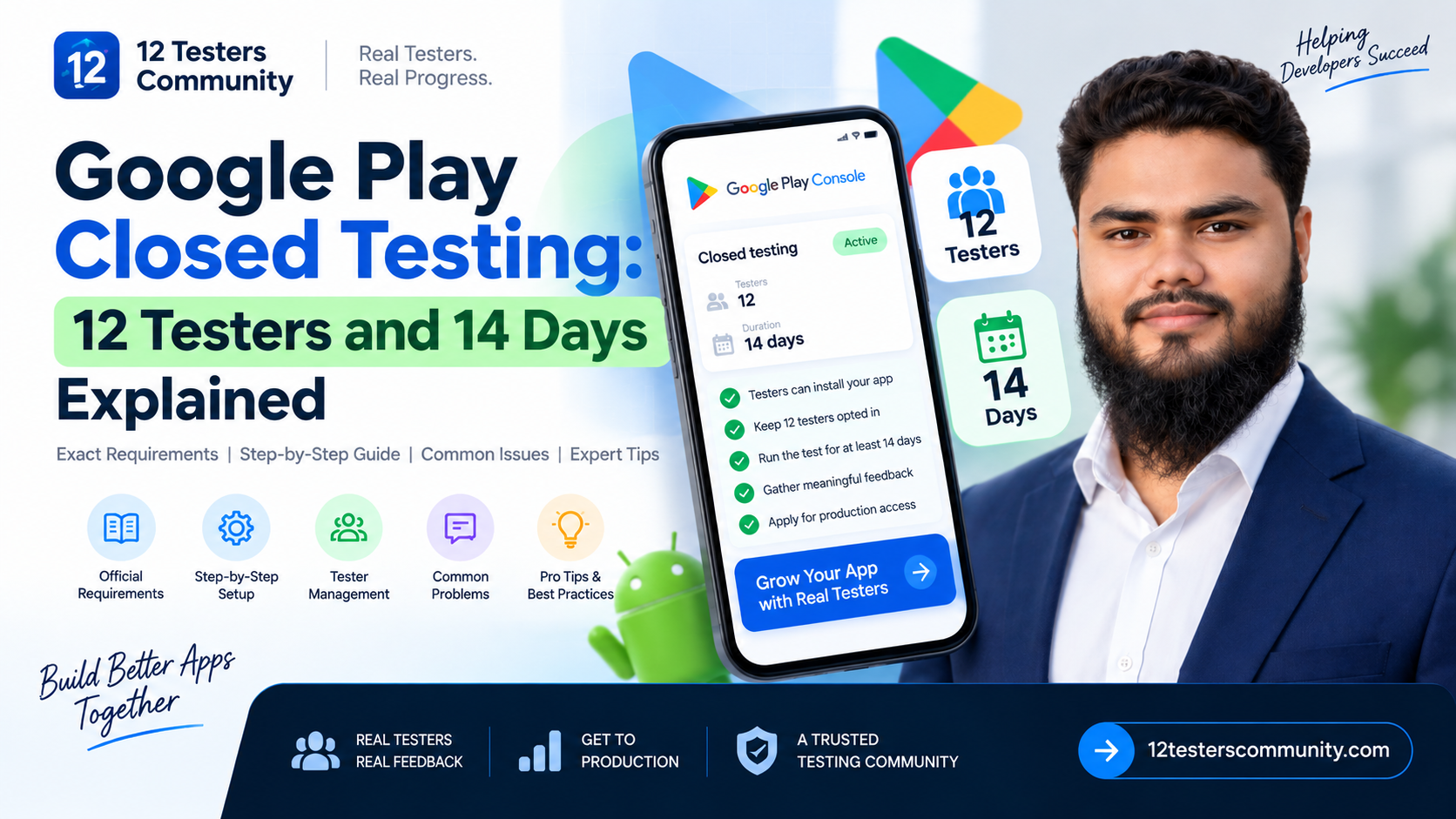
The requirement in one minute
If you only read one part of this page, read this. Everything below is Google's published position, not our opinion.
- Who: Developers with personal Google Play developer accounts created after November 13, 2023.
- What: You must run a closed test for your app.
- How many: A minimum of 12 testers must be opted in to the closed test.
- How long: Those testers must have been opted in continuously for at least the preceding 14 days when you apply.
- Then what: You apply for production access from the Dashboard in Play Console and answer questions about your closed test, your app, and your production readiness.
- How long the review takes: Google states that review usually takes seven days or less, but it can occasionally take longer.
- What stays locked until then: Production and Pre-registration remain disabled until the testing requirements are met.
Source: Google Play Console Help, "App testing requirements for new personal developer accounts" — verified September 2026.
The part most guides skip: meeting the requirement makes you eligible to apply. It does not approve you. Google reviews the application separately, and it can ask for more testing. Anyone promising you production approval is promising something they do not control.
If you are brand new to all of this, start with our complete guide to closed testing for new developers, then come back here for the exact rules.
Does the requirement apply to you?
This is the question we get asked more than any other, and it is the one where third-party blogs are least reliable. Google's testing-requirements article is explicitly scoped to personal accounts created after November 13, 2023.
Rather than guess from a blog post (including this one), treat the table below as a list of where to verify your own situation. The Dashboard in Play Console is the authoritative source for your specific account and app.
| Your situation Does the closed testing requirement apply? Where to confirm | ||
| Personal account created after November 13, 2023 | Yes. This is the exact group Google's published requirement covers. | Dashboard → look for the "Apply for production" prompt |
| Personal account created on or before November 13, 2023 | Google scopes the requirement to accounts created after that date. | Dashboard. If you see "Apply for production", you know. |
| Organization account | Google's testing-requirements article is written for personal accounts. Do not assume you are exempt or that you are covered — confirm it. | Dashboard, plus the Play Console help link in your own account |
| New app on an account that already has production access | Do not assume either way. Eligibility is evaluated per app, and Google does not publish a blanket rule for this case. | Dashboard for that specific app |
| Updating an app that is already live in production | The requirement is about gaining production access in the first place. It is not a per-update gate. | Dashboard |
Practical recommendation: open the Dashboard for your app before you do anything else. If production is already available to you, you are not blocked and this article is a quality checklist rather than a gate. If it is disabled, you are in scope and the rest of this page applies to you.
Not sure how to get testers into the track yet? We cover the mechanics in how to add testers to Google Play closed testing.
What Google officially requires
These points come directly from Google's published documentation. Nothing in this section is our advice — it is the rule.
1. A closed test, not just any test
Google's requirement names the closed testing track specifically. Internal testing is described as optional but recommended as a starting point, and open testing only becomes available after you gain production access. Internal testing does not substitute for the closed test.
2. A minimum of 12 testers, opted in
The number Google publishes today is 12. If a guide tells you 20, it is out of date. Note the wording: opted in is not the same as invited or added to a list. A tester who was emailed an invitation but never completed the opt-in step is not a tester for this purpose.
3. Continuously, for at least the preceding 14 days
At least 12 testers must have been opted in continuously for the preceding 14 days at the moment you apply. "Continuously" is Google's word, and it is the part developers underestimate. This is a 14-day window you cannot fast-forward, buy your way out of, or compress.
4. Your app setup must be complete
Google states that you can start a closed test after completing your app setup. In practice that also means your App content declarations — privacy policy, ads declaration, sign-in details, target audience, content ratings — need to be in good shape, because they can block your releases independently of the testing requirement.
5. You apply from the Dashboard
When the criteria are met, you apply for production access on the Dashboard in Play Console. Google states the application asks about:
- About your closed test
- About your app or game
- About your production readiness
Google also states that you must summarise your testing feedback as part of the application. That is a real deliverable, not a formality — which is why Section 8 below matters.
6. What happens if Google wants more testing
After you apply, Google reviews your submission and emails the account owner. Review usually takes seven days or less, but can occasionally take longer. If your app requires additional testing, you may need to continue running the closed test. Google names two reasons explicitly:
- Fewer than 12 testers opted in
- Insufficient tester engagement during the testing period
Neither of those is a rejection of your app's quality. They are the requirement itself not being satisfied in Google's eyes.
Official requirements vs. what the internet claims
This is the section we wish existed when we started. Below is a straight comparison between what Google documents and what is widely repeated online. Where Google does not document something, we say so — and we label our own advice as advice.
| Common claim What Google documents What we recommend in practice | ||
| "You need 20 testers." | A minimum of 12 testers. | Read any guide older than the current documentation with suspicion. |
| "Testers must open your app every single day." | Nothing. There is no published daily minimum number of opens. | Encourage realistic, regular use — engagement is a stated factor in whether Google asks for more testing. |
| "If you drop below 12, the clock resets to zero." | Testers must be opted in continuously for the preceding 14 days. Google does not publish reset mechanics. | Assume a dropout can only hurt you, and run a buffer of extra testers so you never find out. |
| "Uninstalling the app counts as opting out." | Google talks about opt-in status. Uninstalling is not addressed. | Track opt-in status, not installs. They are different things and only one is the requirement. |
| "Pushing an update during testing resets the 14 days." | Nothing. There is no published version-reset rule. | Shipping fixes during a test is normal. Just do not break the opt-in or the install for your existing testers. |
| "Testers need different IPs, countries, or devices." | Nothing. These are not requirements. | Diversity genuinely improves the feedback you get — treat it as quality, not compliance. |
| "Internal testing counts toward the 14 days." | The requirement refers to the closed test. Internal testing is optional and recommended as a starting point. | Use internal testing as a warm-up so your closed test starts with a stable build. |
| "Paying testers is against the rules." | Google does not publish a ban on paid testers. It does treat engagement and account legitimacy as signals. | What matters is that testers are real, active, and stay opted in — see "Do you need to buy testers?" below. |
| "Hit 12 testers for 14 days and you are approved." | Meeting the criteria makes you eligible to apply. Google then reviews the application. | Plan for the review, the questionnaire, and policy compliance as separate workstreams. |
| "The rule applies to every app on Google Play." | Google scopes its testing-requirements article to personal accounts created after November 13, 2023. | Verify in your own Dashboard instead of trusting any article, including this one. |
Why this table matters: most of the anxiety around closed testing comes from rules that do not exist. The documented rule is narrow and clear. Once you separate it from the folklore, the work becomes ordinary project management.
How the 14-day clock actually works
The documentable part
Google's requirement is an aggregate condition: at least 12 testers, opted in continuously for at least the preceding 14 days, at the moment you apply. That is the sentence that decides your eligibility.
The mental model that makes it manageable
(Practical recommendation, not Google policy.) Instead of imagining one shared countdown, think of each tester carrying their own continuous opt-in streak. On any given day, some testers have been in for 3 days and some for 20. Your application date is decided by the tester who reaches 14 continuous days last among the twelve you are counting on.
This model explains the two things that confuse developers most:
- Why "the clock" seems to stall. If a tester opted in late, your date moves with them, not with the day you published the release.
- Why publishing on day 1 does not mean you can apply on day 15. You can only apply when twelve people each have 14 continuous days behind them — and that depends on when each person actually opted in.
Google documents the aggregate requirement, not per-tester streak mechanics. Treat the model above as a way to reason about the constraint, and always verify the position in your Play Console, which is what Google actually looks at.
Why you should recruit more than 12
Because the requirement is a minimum, not a target. Real testers change phones, lose interest, or go on holiday. If you start with exactly 12 and one person's streak breaks, you have no cushion — and the honest answer is that Google does not publish a rule that guarantees how a dip is treated. A buffer removes the question entirely.
Our recommendation: aim for 15–20 opted-in testers when your plan allows it. The extra few people are the cheapest insurance in this entire process, and you can never be punished for having more than the minimum. We go deeper on the maths and the recruiting channels in where to find 12 real testers.
Step-by-step: running a compliant closed test in Play Console
Console navigation moves around between updates, so treat the paths below as the shape of the workflow rather than a pixel-perfect map. If a menu has moved, the Dashboard in your account is the reliable starting point.
Step 1 — Confirm your status on the Dashboard
Open Play Console, select your app, and go to the Dashboard. This is where Google surfaces the production access prompt and any outstanding requirements. Do this first so you know whether you are in scope at all.
Step 2 — Complete your app setup and App content declarations
Go to Policy and programs → App content and clear everything sitting in "Needs attention". Google's guidance for preparing an app for review covers a privacy policy, an ads declaration, sign-in details for reviewers, target audience and content, the permissions declaration form where relevant, and content ratings.
Practical recommendation: finish these before your 14 days begin. A declaration that blocks publishing can waste days of a testing window you cannot restart cheaply.
Step 3 — Optional: warm up with an internal test
Internal testing lets you distribute builds to a small group of trusted testers, and Google notes that builds are normally available within seconds. It can be run before your app setup is complete, and it does not count toward the closed testing requirement. Use it to catch the obvious crashes before twelve real people see them.
Step 4 — Create the closed testing release
Go to Test and release → Testing → Closed testing. You will see an initial closed testing track, and Google allows you to create and name additional closed tracks if you need them. Create the release, upload your App Bundle, add release notes, and roll it out.
Step 5 — Add testers
Closed tests can be managed by email address or by Google Groups. Google's prerequisites are worth knowing before you build a list:
- Testers need a Google Account or Google Workspace account to join a test.
- If you use a Google Group, testers must join the group before they can opt in to the test.
- Adding someone to a list is not the same as them opting in — only opt-in counts toward the 12.
At this point the work stops being technical and becomes people management. Give yourself more options than you need.
Step 6 — Share the opt-in link (and understand when it appears)
Pre-production apps cannot be found by searching Google Play, so testers need you to send them the link. Two Google details trip people up here:
- The opt-in link only displays when the app status is "Published". Draft and Pending publication statuses do not show one.
- After publishing a test for the first time, the test link can take several hours to become available. Further changes can also take hours.
Tell your testers this in advance. "The link works in a few hours" prevents a wave of confused messages on day one.
Step 7 — Confirm testers are actually opted in
Invited, installed, and opted in are three different states. Check the closed testing track's tester count in Play Console and confirm you have at least 12 opted in — ideally more. Do this early enough that a shortfall is still fixable, not on day 13.
Step 8 — Run the full 14 days
Keep the track live, keep the build installable, and keep the group informed. Google's own guidance for testers is explicit: inform your testers that they need to remain opted in to your closed test continuously for at least 14 days. Say that in writing, more than once.
Step 9 — Improve your app, not just your timeline
Testers can send private feedback through Google Play, and Google notes that test feedback does not affect your public rating. Collect it, fix real bugs, then tell testers what you fixed. Developers who visibly ship fixes get better engagement in week two.
Step 10 — Apply for production access
From the Dashboard, choose Apply for production. Google states the form covers your closed test, your app or game, and your production readiness — and that you will need to summarise your testing feedback.
Step 11 — Handle the outcome
Review usually takes seven days or less, sometimes longer. If Google asks for more testing, the fix is almost always about the test itself — fewer than 12 opted-in testers, or insufficient engagement — so keep the closed test running while you address it rather than tearing it down. If your application was not approved after a full 14 days, work through why production access is still rejected after 14 days.
Internal vs. closed vs. open vs. production
| Track Who can test Findable by search on Google Play? Satisfies the 12 testers / 14 days requirement? | |||
| Internal testing | A small trusted group (Google documents up to 100 testers) | No | No — optional and recommended as a starting point |
| Closed testing | A group you control, by email or Google Group | No — share the Play Store URL or opt-in link | Yes — this is the required track |
| Open testing | Anyone who joins your testing programme | Yes, your test version is visible | No — Google notes it becomes available after you gain production access |
| Production | Everyone | Yes | N/A — this is what you are applying for |
Practical recommendation: think of the four tracks as a staircase. Internal catches your crashes, closed satisfies Google and produces real feedback, open softens your public launch, production is the destination. Skipping a step is allowed in places, but it rarely saves time.
Tester engagement and feedback
Google treats engagement as a real signal — insufficient engagement is one of the two published reasons it may ask for more testing. Here is how to make engagement likely rather than hopeful.
Set expectations before day one
Send one clear message covering: what the app does, the exact opt-in link, that they must stay opted in for 14 continuous days, how long the commitment is, and where to send feedback. Ask them to confirm they have opted in, so you are tracking reality rather than a list.
Give testers something to do
"Please test the app" produces nothing. A short task list produces usable feedback:
- Complete sign-up and first-run onboarding.
- Use the main core feature end to end, twice, on different days.
- Try one feature you expect to be fragile or unfinished.
- Force-close and reopen the app, then check your data survived.
- Turn your phone off and on, then reopen the app.
- Report anything that felt slow, confusing, or broken — with a screenshot if possible.
Give them one obvious place to send feedback
Google recommends a clear feedback channel such as email, a website, or a message forum, and notes that testers can also leave private feedback through Google Play. Pick one primary channel and repeat it in every message. Every extra step loses you feedback.
Keep a record from day one
Google's guidance is to maintain a record of the feedback you receive, to review it regularly for recurring themes, and to note that you must summarise your testing feedback when applying for production access. A simple dated sheet — tester, issue, what you changed — is enough. Do not try to reconstruct it afterwards.
Use the free tools Google already gives you
Play Console's Testing feedback page (Monitor and improve → Ratings and reviews → Testing feedback) lets you filter and search feedback by date, language, reply state, app version, and device type. Google also recommends running a pre-launch report to surface crashes, warnings and performance issues before real users hit them. Both are free, and both make your application stronger.
If your testers' enthusiasm drops in the second week, the pattern and the fixes are covered in how to keep 12 testers opted in for 14 days.
Common problems and troubleshooting
| What you see Likely cause What to do | ||
| Testers cannot find the app on Google Play | Pre-production apps are not searchable | Send the Play Store URL or opt-in link directly |
| No opt-in link is showing | App status is Draft or Pending publication | Publish the test release — the link only appears at "Published" status |
| The opt-in link returns an error right after publishing | Google states test links can take several hours after first publication | Wait and retry; warn testers before day one |
| Google Group testers cannot opt in | They have not joined the group yet | Ask them to join the group first, then use the opt-in link |
| Your tester count is lower than the people you invited | Invited, installed and opted in are different states | Track opt-in specifically — only opted-in testers count |
| A tester says nothing changed after installing | Test builds replace the existing version automatically, usually within a few minutes | Confirm they are signed in with the account you invited |
| A tester cannot leave a review | Expected — public reviews are not available for test versions | Move them to your own feedback channel or private Play feedback |
| Production is still locked after 14 days | The eligibility condition is evaluated at the moment you apply: 12 testers, opted in continuously, for the preceding 14 days | Check the Dashboard for exactly which condition is unmet before changing anything |
| Google asked for more testing after you applied | Google names fewer than 12 opted-in testers, or insufficient engagement | Keep the closed test running, add testers, improve engagement, then reapply |
| Production and Pre-registration are greyed out | Expected until the testing requirements are met | That is the gate itself, not a bug — keep working the checklist |
| Testers went quiet in week two | No task, no feedback channel, or no visible progress | Send a short update, ship a fix, and ask for one specific thing |
If your test is going wrong in ways this table does not cover, the underlying patterns are in why Google Play closed testing fails.
Three checklists
Checklist A — Before day 1
- Dashboard checked; production access status confirmed.
- App content declarations cleared in "Needs attention".
- Privacy policy live at an active URL and linked in the store listing.
- Content rating questionnaire completed.
- Test credentials provided if the app requires sign-in.
- Release candidate runs, with no placeholder or unreachable screens.
- 15–20 testers identified, not 12.
- Opt-in link and instructions drafted and ready to send.
- One feedback channel chosen and written into the instructions.
- A dated feedback log created (you will need it for the application).
Checklist B — Every day for 14 days
- Opted-in tester count is at least 12 (check the actual count, not your list).
- Testers who went quiet are nudged.
- New feedback is logged the day it arrives.
- Crashes and blockers from the test build are triaged.
- Anything you fixed is shipped and mentioned to testers.
- Nothing has been changed that could interrupt a tester's opt-in or install.
Checklist C — Before you apply
- The opted-in count in Play Console is at least 12, with a margin.
- The 14 continuous days are confirmed for those testers.
- Feedback has been summarised into themes and fixes.
- Replies to tester feedback are up to date.
- Policy compliance reviewed: content, features, monetisation, targeting, ratings.
- Working test credentials are in place for reviewers.
- The app has no crashes, broken functionality, or missing screens.
- You have someone free to respond if Google asks a follow-up question.
Do you need to buy testers?
This is worth answering honestly, because most pages that discuss it are selling something — and this page is on a website that sells something too, so judge it accordingly.
What Google documents: nothing about paid testers specifically. Google's emphasis is on the test being real — 12 testers opted in continuously, engagement during that period, and a summary of genuine feedback in your application. Google also names insufficient engagement as a reason to ask for more testing.
What that means practically: a tester's value here is behaviour, not presence. Twelve dormant accounts that never open your app can satisfy a checkbox while producing weak engagement signals and zero feedback to summarise. That is the risk with the cheapest tester farms, and it can cost you more time than it saves.
What a legitimate service can do: handle recruiting, keep testers opted in for the full window, prompt daily usage, and hand you a written record of feedback you can summarise in the application.
What no service can do: guarantee production approval. Google reviews the application separately, and no third party controls that outcome. If a provider promises approval rather than testing, treat it as a warning sign.
How to vet a closed testing provider
- Do they describe testers as real people on real Android devices, with details you can verify?
- Do they track opt-in status, or only how many accounts they can create?
- Do they keep testers engaged for the full 14 days, or only until the count hits 12?
- Do they give you a written report of feedback, so you can complete the application honestly?
- Do they publicly state that production approval is Google's decision, not theirs?
- Is there a clear remedy if the test fails — a retest or a refund?
Any provider that answers "we guarantee approval" to the last two questions has told you something useful about how they work.
Frequently asked questions
Is it 12 testers or 20 testers for Google Play closed testing?
Twelve. Google's current published requirement for personal accounts created after November 13, 2023 is a minimum of 12 testers opted in continuously for at least 14 days. Guides that say 20 are out of date.
When does the 14-day clock start?
Google documents that the 12 testers must have been opted in continuously for the preceding 14 days when you apply. In practice each tester's window starts when they personally complete the opt-in — not when you published the release. That is why pushing your release live on day 1 does not automatically mean you can apply on day 15.
If one tester drops out, does everything reset?
Google does not publish reset mechanics. Its published requirement is that at least 12 testers are opted in continuously for the preceding 14 days at the moment you apply. Because a dip can never help you, run a buffer of extra testers so a dropout is absorbed instead of investigated.
Do testers have to open the app every day?
There is no published requirement for a daily minimum number of opens. What Google does say is that testers need to stay opted in continuously for 14 days, and that insufficient tester engagement is one of the two reasons it may ask for additional testing. Regular, realistic use is what you want — not a scripted daily tap.
Does internal testing count toward the 14 days?
No. The requirement refers to the closed test. Internal testing is optional and recommended as a starting point, and it is a genuinely good way to shake out crashes before your 14-day window begins.
Can I update my app during the 14 days?
Google does not publish a rule that updates reset the testing period. Shipping fixes during a test is normal and is exactly the behaviour the process is designed to encourage. Be careful not to change anything that breaks an existing tester's opt-in or install.
Do testers need different devices, countries, or IP addresses?
No — those are not Google requirements. Testing across a range of devices and Android versions genuinely improves the bugs you find, so diversity is worth pursuing for quality reasons, not to satisfy the policy.
How many testers should I actually recruit?
More than the minimum. We recommend aiming for 15–20 opted-in testers so natural dropouts do not put you below 12. There is no penalty for exceeding the minimum.
Does the requirement apply to organization accounts?
Google's testing-requirements article is written for personal developer accounts created after November 13, 2023, so its scope is narrower than "all developers". Do not assume you are exempt and do not assume you are covered — open your Dashboard and let it tell you.
Is the requirement per app or per account?
Google's requirement is about your app gaining production access, and it is evaluated per app. Do not rely on a general rule for a second app; check that app's Dashboard.
What does the production access application ask?
Google states the form has three sections: about your closed test, about your app or game, and about your production readiness. You must also summarise your testing feedback, which is why keeping a record during the 14 days matters.
How long does production access review take?
Google states that review usually takes seven days or less but can occasionally take longer. Plan your launch communications around that uncertainty rather than committing to a date.
Can I get a guarantee that my app will be approved?
No, and you should distrust anyone who offers one. Meeting the closed testing requirement makes your app eligible to apply. Approval is Google's decision, based on its review of your application, your app, and its policies.
Official Google resources
These are the primary sources behind everything above. When a blog post (including this one) conflicts with these pages, the Google pages win.
- App testing requirements for new personal developer accounts — the rule itself
- Set up an open, closed, or internal test — track setup, testers, opt-in links, feedback
- Prepare your app for review — App content declarations
- Prepare and roll out a release
- Use a pre-launch report to identify issues
- Understand your pre-launch report
- Testing apps on Android
- Fundamentals of testing
- Google Play Developer Content Policies
About this guide
This article was written by the 12 Testers Community testing team. We run Google Play closed tests for indie developers every day — recruiting testers, tracking opt-in status across the full 14-day window, and supporting developers as they work through the production access application.
Every requirement in this guide was checked against Google's own documentation, and the article is written to keep two categories separate: what Google publishes, and what we recommend in practice. Where Google does not document something, we say so instead of filling the gap with confident guesswork. Requirements and Console navigation can change — if anything here drifts from the official pages linked above, trust Google.
Get the testing requirement out of your way
You cannot shorten the 14 days, and you cannot influence Google's review. What you can control is whether the requirement is the reason your launch is stuck — or just a two-week step you plan around.
We assign 12 or more real testers on real Android devices, keep them opted in for the full 14 consecutive days, track every day of progress live in your dashboard, and hand you a written report of their feedback so you can summarise it properly when you apply.
We will not promise you production approval — that decision is Google's, not ours. What we can do is make sure the testing requirement is finished properly and documented.
See testing plans and pricing · see how the 14 days work · read the FAQ · or create your campaign. Still unsure whether the requirement applies to your account? Check the Dashboard first — and if you would like a second pair of eyes, read more about us and get in touch.
