
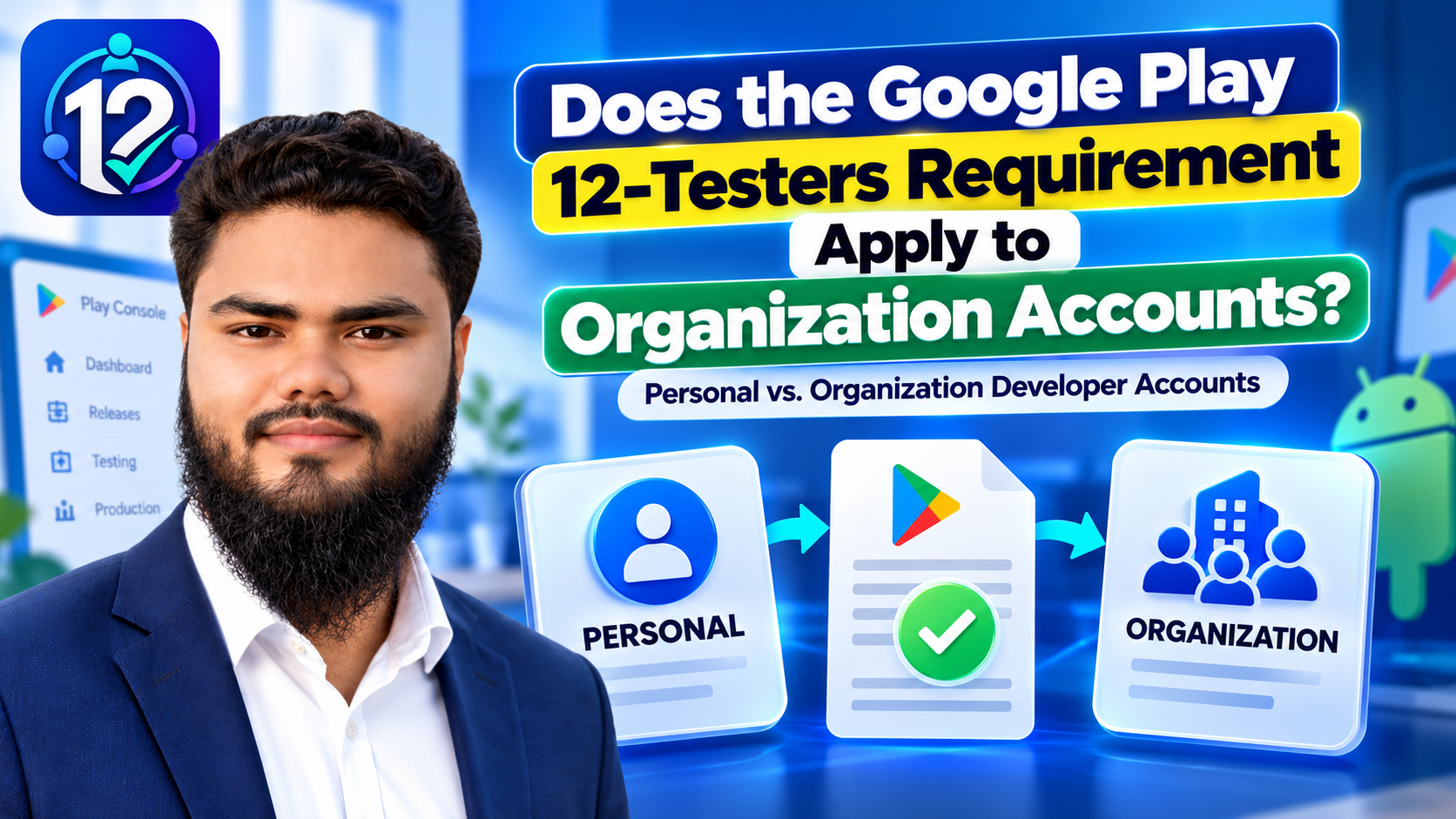
Last reviewed against Google Play Console Help: October 2026.
The question arrives in the same form every time, usually phrased as a workaround: “if the 12 testers and 14 days only apply to personal accounts, can I just register as a business and skip it?”
Two things need separating. One is factual: what does Google's documentation actually say about the account you hold? The other is a decision about which account type honestly describes you — because Google's account-type rules are not a menu of testing obligations to pick from, and choosing the wrong one creates a worse problem than a fortnight of testing.
This page answers the factual question first, from the official documentation, then explains the verification, D-U-N-S and account-selection rules that decide which type you should be on.
Quick answer
Google's closed-testing requirement is documented for personal developer accounts created after November 13, 2023. The Help article that states the 12-testers and 14-day rule is titled “Testing requirements for personal accounts”, and organization accounts are not named in it.
- That means the specific 12-testers, 14-consecutive-day gate is not documented as applying to organization accounts — it is scoped to eligible new personal accounts.
- It does not mean organization accounts are exempt from everything. They face verification, D-U-N-S and identity requirements that personal accounts do not.
- Every app — on any account type — still has to be tested, meet Play Console requirements, and comply with Google Play policies before and after release.
- You cannot register as an organization to dodge testing unless you actually are an organization. Certain categories — financial services, health apps, VPN apps and government apps — must use an organization account.
- Where the documentation does not settle your case, the answer is in your own Play Console, not in a blog post. See the honest limits noted throughout.
What the 12-testers rule actually says
Worth stating precisely, because the scope is the whole answer. Google's testing requirements state that developers with personal accounts created after November 13, 2023 “must run a closed test for their app with a minimum of 12 testers who have been opted in continuously for at least 14 days”. Until those criteria are met, Production and Pre-registration stay disabled, and developers apply for production access from the Dashboard by answering questions about the test, the app and its production readiness.
Four properties matter here:
- It is scoped by account type and creation date — written for personal accounts created after November 13, 2023, in a Help article titled “Testing requirements for personal accounts”.
- It is measured per tester and checked when you apply. Testers who opt in, test for fewer than 14 days and then opt out do not count; a tester who opts back in needs 14 consecutive days again.
- Meeting it makes you eligible to apply, not approved. Google reviews the application and may require continued testing.
- It is one requirement among many. Separately, every developer must complete Play Console requirements — accurate information, a linked payments profile, and app-level requirements such as a privacy policy, a Data safety section and working sign-in details for review.
If you want the mechanics of running that test — recruiting, opt-in links, keeping testers engaged — see the complete 14-day guide for 12 testers. This article stays on the account-type question.
Personal vs Organization: what actually differs
Google Play offers two developer account types, and Google's account-type page is clear that they are not tiered: “Personal and organization accounts have access to the same functionality and are able to monetize on Google Play using a payments profile.” What differs is who the account represents and what you must prove to open it.
| Topic | Personal account | Organization account |
|---|---|---|
| Intended for | Personal use — Google's examples are a student, hobbyist or amateur developer | An organization or business — Google's examples are commercial, industrial, professional or governmental activity |
| Can monetize | Yes — you can earn money and invite others to join your account | Yes — same functionality and monetization |
| Identity information required | Developer name, legal name, legal address, contact email and phone, developer email | All of the above plus organization name, address, phone and website, a contact name, and a developer phone number |
| D-U-N-S number | Not required | Mandatory. You cannot create an organization account without one, other than the documented government and unsupported-region routes |
| What Google displays publicly | Legal name, country and developer email — plus your full address if you monetize | Legal name, legal address, developer email and developer phone number |
| Contact details | Verified by one-time password and must stay operational for the life of the account | Same, and Google states the contact email should not be generic or a personal address — it should be one associated with your organization |
| Documented scope of the 12-testers / 14-day rule | Applies to accounts created after November 13, 2023 | Not named in the requirement, which is written for personal accounts |
| Other obligations | Play Console requirements, app policies and review apply | The same obligations apply, plus the organization must keep its account information consistent with its Dun & Bradstreet profile |
| Mandatory for certain apps | — | Yes: financial products and services, health apps including medical apps and human subjects research, apps approved to use the VpnService class, and government apps |
Two things that table deliberately does not say: that a personal account cannot run a real business, and that an organization account gets faster reviews, priority treatment or easier approval. Google's documentation describes different onboarding and identity requirements, not different publishing privileges.
Does the 12-testers requirement apply to organization accounts?
What Google explicitly states: the requirement covers personal accounts created after November 13, 2023. Google's Help article is titled “Testing requirements for personal accounts”, and organization accounts are not mentioned in it.
What follows, and how strongly: the specific 12-testers, 14-consecutive-day gate is therefore not documented as applying to organization accounts. That is a statement about the documented scope of one requirement — not a statement that organization accounts are free of testing, review or policy obligations.
What the documentation does not settle: Google publishes no explicit sentence saying organization accounts are exempt. The conclusion rests on the scope of the requirement, not an exemption clause. That matters in two cases — conversion, where the documented process says nothing about its effect on an account-specific testing requirement, so do not assume the gate disappears; and your own Console, where the criteria listed on your Dashboard are authoritative for your account.
Practical rule: if an organization account genuinely describes you, use one — for the right reasons. If a personal account describes you, do not invent a company to escape a testing gate. Google requires accurate developer information and states it may remove apps when account details are inaccurate or unverifiable.
| Your account | Is the 12-testers / 14-day requirement documented as applying? | Still required either way |
|---|---|---|
| Personal account created after Nov 13, 2023 | Yes — this is the account type the requirement is written for | Play Console requirements, app testing and Play policies |
| Personal account created before Nov 13, 2023 | Not by this requirement — it is scoped by both account type and creation date | Play Console requirements, app testing and Play policies |
| Organization account | Not named in the requirement, which is scoped to personal accounts | Organization verification and D-U-N-S, Play Console requirements, app testing and Play policies |
| Your Dashboard shows a testing requirement | Follow what it shows — the Console is authoritative for your account | Whatever the Console lists as outstanding |
| Edge case not covered by the docs | Not settled publicly — do not guess | Check Play Console, and contact Google support through the Help section of your account |
This table summarises Google's published scope. It is not an exemption ruling, and it is not legal or tax advice about how to describe your business.
Figure 1 — The account-type question and the requirements question are separate. Answering one does not answer the other.
Do you still need to test your app? Yes — and it is not a technicality
The absence of one account-based requirement is not the absence of a testing obligation. Google's Play Console Requirements policy tells every developer to “make sure that your app provides a stable, engaging, responsive user experience”, and to confirm that everything in the app — including ad networks, analytics services and third-party SDKs — complies with Google Play Developer Program Policies.
What testing should cover, on any account type:
- Crashes and functional bugs, on a fresh install and on an upgrade over the previous version.
- Major journeys end to end: launch, first run, sign-in, the core task, any payment or submission flow.
- Permissions and data handling, especially if you request sensitive access — reviewers check this too.
- Supported devices and Android versions, including your oldest API level and smallest screen.
- Meaningful feedback, not just a bug count. Google asks applicants to summarise testing feedback and what changed as a result.
- The pre-launch report, generated automatically on upload and covering stability, Android compatibility, performance and accessibility.
- Policy compliance before submitting, because Google states review is not a troubleshooting step.
The difference is one of status, not value. For an eligible new personal account, a closed test with 12 testers for 14 days is a formal gate before production access. For everyone else, testing is a quality and policy expectation with real consequences in review — not a numbered requirement to clear. Both are worth doing properly.
Organization verification and the D-U-N-S number
An organization account exists to represent a real organization. That is why the verification requirements are heavier: Google has to be able to confirm that the entity behind the account exists, and the details you give it must match the entity's own records.
What a D-U-N-S number is. Google's account information article describes it as a unique nine-digit identifier assigned to organizations by Dun & Bradstreet, widely used to verify businesses. Google uses it to verify your identity, and it is mandatory account information for an organization or business.
The practical points, all from Google's documentation:
- It is free. Google states twice that applying through Dun & Bradstreet is a completely free process, and warns specifically about third-party services charging high administrative fees for this free registration.
- You may already have one. Many organizations have one as part of doing business; Google advises checking the official Dun & Bradstreet site before applying for a new one.
- Plan ahead. Google notes it can take up to 30 days, and that you cannot create an organization account without one.
- Pick the right entity. Large organizations may hold several D-U-N-S numbers, and Google says the one you use must contain the details you want associated with the account.
- Keep it consistent. Policy requires organization account information to stay up to date and consistent with the Dun & Bradstreet profile.
- Documented exceptions. Government organizations and agencies can verify without one, and organizations in regions Dun & Bradstreet does not support can request an alternative method. Google states only organizations genuinely unable to obtain one are offered that route, that incomplete requests are not considered, and that it will not grant exemptions or extensions to organizations that simply fail to provide one.
Getting a D-U-N-S number does not verify your account, and verification does not approve your app. It is one required input among many. Google independently reviews the identity details you provide, and app review is a separate step again.
Alongside the identifier, Google requires organization name, address, phone and website, a contact name, and a developer email and phone shown on Google Play. Google states the contact email should not be generic or personal, and warns it may remove apps if the developer email or phone shown on Play is not accessible — so use a monitored address at your organization's domain.
Which account type should you choose?
The test is not what you want the account to do for you. It is what the account is.
Choose a personal account if
- You are publishing under your own name as an individual — a student, hobbyist, amateur developer or solo indie.
- You intend to earn money from the app. Google is explicit that personal accounts can monetize.
- Your app is not in one of the categories that must register as an organization.
Choose an organization account if
- You are registering for a business, company, non-profit, academic institution or government body — the account represents that entity, not you personally.
- You are publishing on behalf of an organization, or the app is part of that organization's commercial, industrial, professional or governmental activity.
- Your app is in a category Google requires to register as an organization: financial products and services, health apps such as medical apps and human subjects research, apps approved to use the VpnService class, or government apps.
- You can supply a D-U-N-S number and are willing to keep the account details consistent with your organization's official records.
Four worked examples:
- An individual hobby developer publishing a personal project → personal account.
- An independent developer working under their own identity, monetizing with ads or in-app purchases → personal account. Monetization is not the deciding factor.
- A registered business publishing its own app, with an official website and invoices → organization account, using the D-U-N-S number of the entity that should own the app.
- A developer offering a financial, health, VPN or government app → the organization route is mandatory for that app category, whatever your personal circumstances.
A caution about the wrong reason. Do not register an organization account merely to avoid a testing step. Google requires accurate developer information, prohibits the sale, lease or purchase of accounts, and states it may remove apps when the details on the account are inaccurate. A misdescription risks every app on the account, and can be far harder to unwind than a fortnight of testing.
This is guidance about Google's rules, not legal advice about your business status. If you are unsure whether your activity makes you an organization for Google's purposes, choose the type that matches your real, documented identity and ask Google support through your Play Console Help section.
Changing your account type after you have started
People often ask whether they are now stuck. Google documents a conversion path, with conditions — and it is worth reading carefully rather than treating it as a switch.
Google's guide to updating developer identity details describes converting an individual account to an organization account as follows. The account owner must set up an organizational payments profile and provide extra account details in Play Console. Before starting, the individual account must be fully verified with no pending verification warnings. You then provide and verify an official organization website — Google states the option to change account type appears only after that verification — click Change account type, create or select an organizational payments profile with the organization's D-U-N-S number, supply organization type and size, phone, and contact details, verify your identity if required, then link the verified payments profile and confirm.
Two honest caveats. First, the documentation does not say what conversion does to an existing account-specific testing requirement — it covers identity and payments-profile mechanics only, so do not assume the gate lifts. Second, some details cannot be edited on an existing payments profile — Google lists country, account type and, for organizations, the D-U-N-S number — which is why changes are routed through a new profile that is verified and then linked.
If your account shows a requirement you believe should not apply, the next step is not a blog post. It is your Play Console Dashboard, and Google support through the Help section of your account — or the public contact form if you do not have Play Console access.
Common misunderstandings
- “Every Google Play account must complete the same 12-testers rule.” No — it is written for personal accounts created after November 13, 2023.
- “Organization accounts are exempt from all testing.” No — Google's Play Console Requirements policy asks all developers for a stable, responsive, policy-compliant app.
- “An organization account gets you approved faster.” Not documented anywhere. Different onboarding, not different privileges.
- “Register a company to avoid the testing step.” That is misdescribing your identity, which Google prohibits and can act on by removing apps.
- “Organization accounts don't need to test.” Bugs, data loss and policy breaches do not care which account type you hold.
- “A D-U-N-S number guarantees approval.” It is an identity input; Google still verifies your details, and app review is separate.
- “Passing verification means your app will be approved.” Verification is about who you are; review is about what you shipped, and Google states review is not a troubleshooting step.
- “I can change account type and the requirement disappears.” Conversion is documented but conditional, and its effect on testing requirements is not stated.
Practical pre-setup checklist
Our checklist, based on Google's published requirements — not an official Google checklist. Use it before you create the account, because some of these steps take weeks.
Figure 2 — Account type changes one stage of the process. It does not remove the need to test what you ship.
| Step | What to check | Why it matters |
|---|---|---|
| ☐ Identity | Decide whether you are registering as an individual or on behalf of an organization | Everything else — documents, payments profile, verification — follows from this |
| ☐ Account-type guidance | Read Google's “Choose a developer account type” page, including the mandatory-organization app categories | Some categories must use an organization account regardless of your preference |
| ☐ Required information | Confirm which documents and details your account type needs before you start | Legal name and address come from the linked payments profile and must be verified |
| ☐ D-U-N-S (organization) | Check whether your organization already has one; if not, apply through Dun & Bradstreet — it is free and can take up to 30 days | You cannot create an organization account without it, and large organizations may hold several |
| ☐ Website and contact details | Have a verifiable organization website, and an email and phone that belong to the organization and are monitored | Organization accounts must show a developer email and phone on Google Play; Google warns it may remove apps if they are not accessible |
| ☐ Testing requirements | Read the testing requirements that apply to your account type, and plan realistically | If the 12/14 window applies to you, it takes 14 consecutive days and cannot be compressed |
| ☐ Your own Dashboard | After creating the account, check the Dashboard for account-specific requirements | It is the authoritative statement of what your account must do |
| ☐ Plan to test anyway | Test the main journeys on real devices, review the pre-launch report, and fix what you find | Google expects a stable, responsive app and policy compliance on every account type |
| ☐ Policies | Review the Developer Program Policies, the Data safety requirements and, if relevant, the Families policy | Google states it is your responsibility to ensure your app and its SDKs comply |
| ☐ Keep details current | Keep your legal name, address and contact details accurate and operational for the life of the account | Details must stay verified and, for organizations, consistent with your Dun & Bradstreet profile |
Frequently asked questions
Does an organization account need 12 testers?
The requirement is documented for personal accounts created after November 13, 2023, and organization accounts are not named in it. Google publishes no inverse exemption clause either, so treat your Console as authoritative — but the rule is not written to cover organization accounts.
Does the 14-day rule apply to every developer account?
No. It is scoped by account type and creation date — personal accounts created after November 13, 2023. Organization accounts and earlier personal accounts are not covered by it.
Can I create an organization account to avoid testing?
We would not recommend it. Google requires accurate developer information and prohibits trading accounts, and misrepresenting your identity risks the account and every app on it. Choose the type that matches who you actually are.
Does an organization account still need app testing?
Yes. Google's Play Console Requirements policy asks all developers for a stable, responsive app and policy compliance, and review checks what you shipped. Not having one numbered requirement is not the same as having none.
Is a D-U-N-S number required for an organization account?
Yes — Google states you must have one to create an organization account. Applying through Dun & Bradstreet is free and can take up to 30 days. Government organizations and agencies can verify without one, as can organizations in regions Dun & Bradstreet does not support.
Can a personal developer account publish commercial apps?
Yes. Google states that both account types have the same functionality and can monetize using a payments profile, and that a personal account can still earn money. The exception is the app categories Google requires to register as an organization.
Does organization-account verification guarantee production access?
No. Verification confirms the identity behind the account. It says nothing about whether your app will be approved, what access you will be granted, or how quickly anything is reviewed. Google publishes no such guarantee.
What should I do if Play Console asks me to complete a closed test?
Follow it. The Console is authoritative for your account whatever general documentation says, and it is the one place this scope question has a definitive answer. If you believe a requirement should not apply, contact Google support through your Play Console Help section rather than ignoring it.
The short version
The 12-testers and 14-day requirement is written for personal developer accounts created after November 13, 2023. Organization accounts are not named in it, which is why the answer to the headline question is that the specific rule is not documented as applying to them.
That is where the shortcut thinking should stop. Organization accounts carry heavier identity obligations — a mandatory D-U-N-S number, a verifiable website, organization contact details displayed publicly — and every account type still has to ship a working app, complete Play Console requirements and pass app review. Choose the account type that honestly describes you, then check your own Dashboard for what it actually requires.
If the testing requirement does apply to your account
12 Testers Community organises Google Play closed testing on real Android devices: 12+, 15+ or 20+ verified testers across the full 14 days, a live progress dashboard, and a written report at the end with issues ranked by severity and priority. Plans start at $14.99 as a one-time payment, with a money-back guarantee and a free retest if Google does not approve.
We are not affiliated with Google and cannot guarantee production access, account verification or app approval — those decisions are Google's alone. What we can do is run the testing period for you, on real devices, with feedback you can act on. See how it works →
Official resources
- Testing requirements for personal accounts — the 12-testers and 14-consecutive-day criteria, which accounts they apply to, the production access application, and the review outcomes.
- Choose a developer account type — who each account type is for, the categories that must register as an organization, and the D-U-N-S requirement.
- Required information to create a Play Console developer account — the exact information each account type must provide, what Google displays publicly, and how to obtain a D-U-N-S number.
- Update developer identity details managed by a Google payments profile — including the documented process and conditions for converting a personal account to an organization account.
- Play Console Requirements — the policy that applies to all developers: accurate developer and app information, linked profiles, and the requirements to complete before submitting an app.
- Set up an open, closed, or internal test — how the testing tracks work and what each one is for.
About this guide. 12 Testers Community organises Google Play closed testing for Android developers. Every policy statement here was read from the official Play Console Help pages listed above in October 2026. Where Google's documentation does not settle a case, this article says so and points you at your own Play Console rather than filling the gap.
Wider reading: what counts as an eligible tester, the 12-testers and 14-day rule explained, and how to answer the production access questionnaire.
