
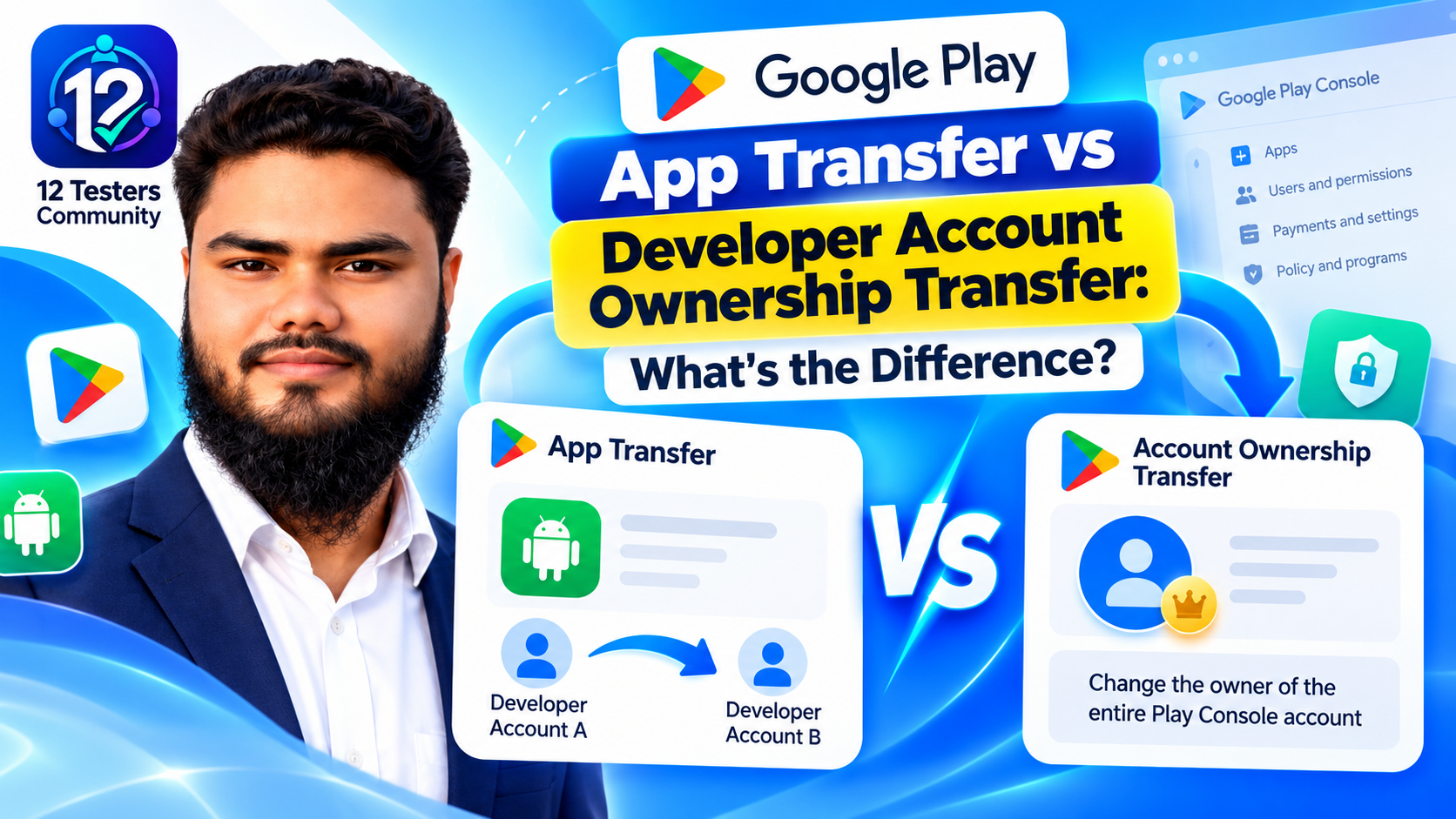
Last reviewed against the official Google Play Console documentation. Where this article and your Play Console disagree, your Console is authoritative — it reflects the requirements applied to your account and your app.
Two developers can describe the same goal — “we need to move the app to the company” — and mean two different processes. One moves selected apps out of a developer account. The other changes who owns the account itself. The difference decides eligibility, waiting periods, testing groups, payments and linked services.
This guide separates the two workflows, shows what each one does and does not move, and gives you a checklist to prepare before anything changes.
Quick answer: app transfer vs account ownership transfer
The short version
- An app transfer moves selected apps to a target developer account. The source account stays open and keeps its other apps.
- An account ownership transfer changes who owns the existing account. The apps stay in that account; they are not moved to a different one.
- If the incoming owner already owns a Play Console account, the direct ownership switch is unavailable. Use an app transfer.
- A monetizing personal account is currently ineligible for the direct ownership switch. Google’s documented route is a new account plus an app transfer.
- An app transfer has no seven-day hold. The target developer approves the request, then Google support reviews it.
- An account ownership transfer is started only by the current owner and includes a mandatory seven-day security hold.
Both are official ownership controls. Google states that account ownership changes must use the official Play Console feature, and that informal transfers such as sharing login credentials or trading accounts through third-party marketplaces are not permitted.
What exactly is changing?
The apps
Use an app transfer
Selected apps move to a different account.
- Source account keeps its other apps
- Both accounts must be active
- Target approves, then Google reviews
- Recreate test groups and relink services
No seven-day ownership hold
The account
Use an ownership transfer
Control of the existing account changes.
- Apps stay in the same account
- Incoming owner must be an existing user
- They cannot already own a Play account
- Mandatory seven-day security hold
Identity verification may be required
Special case: monetizing personal account? The direct ownership switch is not available. Create a new account and transfer the apps.
Why developers confuse the two
Google uses the word “transfer” for both operations, and the situations overlap. A developer moving from a personal account to a company account, an agency handing an app to a client, and a business selling its Play Console presence all sound like “transferring the app”. The distinction is what changes: the apps or the account. That determines whether testing groups survive, whether reports move, whether an app is unpublished, and whether linked services need reconnecting.
What is a Google Play app transfer?
An app transfer moves one or more selected apps from your developer account (the source) to another developer account (the target). The original account remains active and keeps its other apps. Use it when a client takes ownership of an app from an agency, when an app moves from a personal account to a company account, or when one business sells a single product without handing over its whole Play Console presence.
What the process involves
- Both accounts must be registered and active. The source owner must be able to sign in. The target registration must be complete; a “Why can’t I publish” warning indicates missing information.
- Have the registration transaction ID for both accounts. Google documents where to find it and notes that the first part of the order ID must be removed when it is entered.
- Prepare the target for payments if needed. Paid apps and apps with in-app products need an active payments profile on the target account.
- Update integrated services. Analytics permissions, Developers Console ownership, Firebase links and ad SDK integrations may need changes; they are not carried over automatically.
- Submit the request. The target developer reviews and approves it, then Google Play support reviews it. The documentation states that support replies within two business days.
It is not a way to change who owns the source account, and it is not a way to merge accounts. Only the selected apps move.
What is a developer account ownership transfer?
An account ownership transfer changes the owner of the existing Play Console developer account. The account continues, and the apps remain associated with it. Google describes the process as transferring ownership to another existing user. Only the current owner can initiate it, and the incoming owner cannot already own a Play Console account.
How it works
- The current owner selects the team member. In Play Console, open Users and permissions, choose Manage next to the person, then Make account owner.
- The owner chooses the type of switch. An organization account specifies whether the incoming owner belongs to the same organization or a new one. An individual account selects or creates a payment profile for identity verification.
- The owner confirms and submits. Google sends notifications and starts the seven-day security hold.
- The incoming owner completes setup. After the hold, they receive an email invitation and work through payment profile, organization details, contact verification and developer contact information. Identity documents may be requested.
Who is eligible?
Google states that organization accounts and non-monetizing personal accounts may switch owners, provided the required information is submitted and identity verification is completed. Individual developers who monetize their apps are currently ineligible for this direct process; the documented route is to create a new developer account and transfer the apps.
Which process do you need? A comparison table
Match your situation to the question, not to the phrase you have been using. The last column is what to verify before you start.
| Question | App transfer | Account ownership transfer | What the developer should verify |
|---|---|---|---|
| What moves? | The selected apps and their app-level data. | Control of the account. The apps do not move. | Whether the apps or the account owner is changing. |
| Original account | Stays active and keeps its other apps. | Same account, new owner. | Who keeps the remaining apps, users and payment profile. |
| Who starts it? | The source account submits a request. | Only the current account owner. | Owner access and ability to sign in. |
| Main eligibility | Both accounts active and compliant; target payments profile for paid apps or in-app products. | Organization or non-monetizing personal account; incoming owner is an existing user who does not already own a Play account. | That no documented blocker applies. |
| Waiting period | Target approval, then support review (documented within two business days). | Mandatory seven-day security hold, then incoming owner setup and verification. | The realistic timeline and who must act. |
| Testing groups | Cannot be transferred; recreate them and expect testers to opt in again. | No app-level migration is described; verify tester access after setup. | Whether testers must take action. |
| Users, ratings, reviews | Transfer with the app. | Stay with the unchanged account. | That no re-listing is required. |
| Orders and reports | Pre-transfer orders stay in the source; reports do not transfer. | Account and reports stay; payment-profile access is separate. | Reports exported and payouts agreed. |
| Linked services | Permissions and linkage settings do not transfer; update Analytics, Firebase, Developers Console and ad SDKs. | Play account links stay, but access to each Google product is controlled separately. | Who controls each linked account. |
| Typical use | Moving selected apps to a client, agency, buyer or new company account. | Handing over an entire business or Play Console presence. | That the commercial agreement matches the process. |
Eligibility requirements for both processes
App transfer
- The source account and every app being transferred must comply with Google Play policy.
- Both accounts must be registered and active. A new target account requires the registration fee; Google notes the original fee can be refunded by support if you close it after the transfer.
- You need the registration transaction ID for both accounts.
- Paid apps and in-app products need an active payments profile on the target account.
- Complete in-progress translation projects, and prepare private apps distributed through Managed Google Play for a temporary unpublish and organization-restriction change.
Account ownership transfer
- Only the current owner can initiate it, and the incoming owner must already be an existing user.
- The incoming owner cannot already own a separate Play Console account.
- For the same organization, the incoming owner needs admin access to the payment profiles used for identity verification or merchant monetization. For a new organization, they select their own payments profile.
- The account must be in good standing with no outstanding verification requirements.
- No other account change can be in progress: a payments profile change, account-type transition, upload key reset or app transfer all block it.
Why the ownership transfer option may be unavailable
Check these documented blockers: you are not the owner; the incoming owner already owns a Play Console account; the account has outstanding verification or compliance issues; another account change is in progress; or the account is a monetizing personal account. If the current owner is unreachable, Google’s guidance is to contact Play support, because the self-serve process cannot be completed without them.
What happens to apps, users, ratings, and reviews?
After an app transfer
Google explicitly transfers the app’s users, download statistics, ratings and reviews, content ratings, and store listing information. Its “what will be transferred” list also includes statistics, data, comments, ratings, subscriptions and other app-related information. The public listing does not need to be rebuilt, installs are not orphaned, and reviews are not reset.
Policy declaration submissions and App content information transfer too, along with registered package names and keys related to Android Developer Verification. But “the app transfers” does not mean everything in the account transfers; reports, test groups, promotions and linked-service permissions are treated separately.
After an account ownership transfer
There is no app-level migration, because the apps are not moving. They remain in the same account with the same package names, listings, users, ratings and reviews. The change is who controls that account. The practical risk is access, not data loss: owning the Play Console account does not automatically make the new owner the owner of a Firebase project, an Analytics property, an AdMob account or a Google Payments profile.
What happens to closed testing groups and testers?
App transfer: testing groups do not move
Google states that open, closed, internal testing and internal sharing groups cannot be transferred between accounts. You must recreate any closed testing group in the new account, and users may need to opt in again. Record the tester list, decide who will send the new opt-in link, and tell testers that the old link will not carry over.
If the receiving account is a personal account created after November 13, 2023, the 12-tester and 14-consecutive-day production-access requirement may be relevant. Google requires those accounts to run a closed test with at least 12 testers opted in continuously for at least 14 days before applying for production access. See whether the requirement applies to organization accounts and what carries over between multiple apps.
Account ownership transfer: the account stays
Because the account itself continues, the ownership change does not recreate its testing tracks or tester lists. The incoming owner should still verify tester access and review who can manage testing. An ownership change is a good moment to audit permissions.
What happens to payments, financial reports, and subscriptions?
App transfer
- Payments profile: the target account needs an active profile if the app is paid or has in-app products.
- Currency: if the target uses a different default currency, Google applies the change. In-app-purchase-only apps are unpublished until you verify prices and publish again; paid app prices are updated automatically.
- Subscriptions: they are listed among the app-related data that transfer.
- Pre-transfer orders: they remain in the original account. Refunds must go through that account or the Google Play Developer API.
- Reports and promotions: bulk export, estimated sales and earnings reports do not transfer; new reports are created in the target account. Promotions do not transfer, though previously issued promo codes should still work.
Agree on the revenue cut-off, refund responsibility and payout ownership. The Console transfer does not replace a commercial agreement.
Account ownership transfer
The account is not replaced, so its reports and app data stay in place. The financial question is control of the payment profile: for the same organization, the incoming owner needs admin access to the required profiles; for a new organization, they select their own; for an individual account, they select or create a profile for identity verification. Export the historical reports you need and confirm who will control payouts before ownership changes. Play Console access and Google Payments access are related but separate. If the app is monetized on a personal account, the direct ownership switch is unavailable; use the app-transfer route.
For paid-app setup, see closed testing for paid apps.
Firebase, Analytics, AdMob, and other linked services
After an app transfer
Google states that permissions and linkage settings for integrated services are not transferred. The app moves; the connections around it do not:
- Google Analytics: add permissions for the target account.
- Google Developers Console projects: add the target account as an Owner.
- Firebase: unlink the project from the original Play account and link it to the target. Data exports between Firebase and Google Play stop when unlinked; data already exported may remain accessible.
- Ad SDK integrations, including AdMob: update the integration in the app’s APK files after the transfer so ad traffic is credited correctly.
- Managed Google Play: private apps need the target account associated with the organization; plan for a temporary unpublish. Private apps created with the Managed Google Play iFrame cannot be transferred.
After an account ownership transfer
The Play Console account stays the same, so its existing links remain. But the new owner still needs access to the Google accounts that control those services. Account ownership transfer is not a bulk grant of access to Firebase, Analytics, AdMob, Google Ads or Google Payments. Add the new owner with the appropriate role and remove access for people who should no longer have it.
Moves with the app
- Users and installs
- Download statistics
- Ratings and reviews
- Content ratings
- Store listing information
- Subscriptions and app-related data
- Policy declarations and App content information
- Package name and Android Developer Verification keys
Does not move with the app
- Open, closed, internal and internal-sharing test groups
- Bulk export, estimated sales and earnings reports
- Orders created before the transfer
- Promotions (issued promo codes should still work)
- Permissions and linkage settings for integrated services
- The source account’s remaining apps and access
Security checks and the seven-day ownership-transfer hold
Google introduced the official account-transfer feature to protect businesses during sales, mergers and ownership changes. Informal transfers such as sharing credentials or buying accounts through third-party marketplaces are not permitted. Use the official processes and document the commercial agreement separately.
The seven-day ownership hold
-
Step 1
Owner submits
Selects an existing user and confirms the transfer.
-
Immediately
Notifications sent
Current owner, all-app admins and every team member are notified.
-
Days 0–7
Any user can cancel
The security window protects against an unauthorized takeover.
-
Day 7+
Owner completes setup
Invitation, payment profile, contact verification and identity documents.
After the hold: the incoming owner receives an email invitation. Once they start the process, other users cannot cancel. An app transfer does not use this hold: the target developer approves, then Google support reviews the request.
The documentation gives specific rules: the current owner and all admins with access to all apps receive a confirmation email; all team members receive a Play Console notification; any user on the account can cancel during the seven days; and after the hold, the incoming owner’s email invitation lets them complete setup. Once they start, other users cannot cancel.
The setup wizard can require a payment profile, organization details, contact information verified by one-time password, developer contact details, and identity documents. Google warns that unsupported documents will be rejected.
Do not confuse the hold with app-transfer review time
The seven-day hold belongs to the account ownership process. An app transfer is reviewed by the target developer and then by Google Play support, with a documented support reply within two business days. It does not have the seven-day ownership hold.
Protect the accounts while the transfer is pending
- Never share passwords, recovery codes or one-time passwords.
- Grant the minimum access needed through Users and permissions.
- Review admin and payment access before submitting.
- Remove departing team members after completion.
- If the upload key was shared, consider a key reset or rotation. See upload key vs app signing key.
- Watch for unexpected transfer notifications; the hold exists so an unauthorized attempt can be cancelled.
Common transfer mistakes and how to avoid them
- Using ownership transfer to move apps into an account you already own. The incoming owner cannot already own a Play account. Use an app transfer.
- Assuming testing groups travel with the app. They do not; recreate the test and plan a new opt-in round.
- Assuming reports travel with the app. They do not; download what you need first.
- Forgetting Firebase. Unlink from the old account, link to the new one, and confirm the integrations still work.
- Forgetting the AdMob or ad SDK change. Update the app so ad traffic is credited correctly.
- Ignoring the payments profile. Paid and in-app-purchase apps need an active profile, and currency changes can unpublish an app.
- Starting while another change is pending. A payments change, account-type transition, upload key reset or app transfer blocks the ownership switch.
- Expecting a monetizing personal account to use the direct switch. It is not eligible; create a new account and transfer the apps.
- Treating a handover as a password exchange. Use the official process; sharing credentials or trading accounts is not permitted.
- Not telling testers. A new opt-in link with no explanation looks like a broken test.
A practical pre-transfer checklist
Use the column that matches the process you selected. The post-transfer checks matter as much as the request.
App transfer
- Confirm both accounts are registered, active and policy-compliant.
- Find both registration transaction IDs and remove the order-ID prefix as instructed.
- Confirm the target has an active payments profile if needed.
- Download the reports you need and inventory linked services.
- Complete in-progress translation projects.
- Tell testers that groups will be recreated and a new opt-in may be required.
- Submit the request and have the target developer approve it.
- After the transfer: recreate tests, relink Firebase, add Analytics permissions, update the ad SDK, verify prices and republish if Google unpublished the app.
- Confirm the Dashboard, production access and reviews look correct.
Account ownership transfer
- Confirm the account is an organization account or a non-monetizing personal account.
- Confirm the incoming owner is an existing user and does not already own a Play account.
- Grant admin access to the required payment profiles or confirm their new profile.
- Clear pending payments, account-type, upload-key and app-transfer changes.
- Export the reports and records you need before access changes.
- Prepare identity documents and contact details.
- Notify the team and tell them how to report an unexpected transfer.
- Submit the transfer and watch the seven-day hold.
- After the hold: complete setup, verify contacts, and submit identity documents if requested.
- After completion: review permissions, remove old access, confirm payment control, and grant access to Firebase, Analytics, AdMob and other linked products.
Frequently asked questions
What is the difference between a Google Play app transfer and an account ownership transfer?
An app transfer moves selected apps to a different developer account; the original account can stay open. An account ownership transfer changes who owns the existing account; the apps stay in that account. See Google’s app transfer documentation and account ownership documentation.
Can I transfer just one app to another developer account?
Yes. An app transfer is app-specific, so you can move one app or several while the source account keeps its other apps. Both accounts must be active and the target must approve.
Can I change the owner of my entire Play Console account?
Yes, if the account is eligible. Organization accounts and non-monetizing personal accounts can use the direct transfer. The incoming owner must be an existing user who does not already own a Play account, and only the current owner can start it.
Why is the ownership transfer option unavailable?
The documented blockers are: you are not the owner; the incoming owner already owns a separate Play Console account; the account has outstanding verification or compliance issues; a payments change, account-type transition, upload key reset or app transfer is in progress; or the account is a monetizing personal account.
What happens to closed testing groups after an app transfer?
They do not transfer. Google says open, closed, internal and internal-sharing groups cannot be transferred. Recreate the closed testing group in the new account, and expect users to opt in again.
Do testers need to opt in again?
After an app transfer, possibly yes: each tester opts in through a specific app’s link, and Google says users may need to opt in again. After an account ownership transfer, the account and its tests are not recreated, but the new owner should verify access.
What happens to Firebase and AdMob after an app transfer?
They are not carried over automatically. Unlink Firebase from the original Play account and link it to the target. For AdMob or other ad SDKs, update the integration in the app so ad traffic is credited correctly. Analytics permissions and Developers Console ownership also need attention.
Do ratings and reviews transfer with the app?
Yes. Google lists users, download statistics, ratings and reviews, content ratings and store listing information among the things that transfer. Pre-transfer orders and financial reports stay behind.
What happens to historical earnings and payout reports?
For an app transfer, bulk export, estimated sales and earnings reports do not transfer; new reports are created in the target account, so download what you need first. Pre-transfer orders stay in the original account for refunds. For an account ownership transfer, the account and reports stay, but access to the Google Payments profile is separate.
Why is there a seven-day security hold?
Google describes it as a security precaution. If an account is hijacked, the hold gives the legitimate owner time to spot the request and cancel it. During the seven days, any user on the account can cancel.
Is account ownership transfer available for monetizing personal accounts?
No, not through the direct process. Google says individual developers who monetize their apps are ineligible and should create a new developer account and transfer the apps. The app-transfer workflow is the documented alternative.
Where can I verify the current official requirements?
Start with Transfer apps to a different developer account and Transfer ownership of a Play Console developer account. Account types and verification are covered by Choose a developer account type and verification requirements.
Conclusion: decide what is changing before you choose a button
Ask one question: are the apps moving, or is the account changing hands? If selected apps are moving, use an app transfer. Prepare both accounts, download the reports, plan for new testing groups, and reconnect Firebase, Analytics and advertising. If the entire account is changing ownership, use the ownership transfer, but confirm eligibility first: the incoming owner must be an existing user who does not already own a Play account, the account must not be a monetizing personal account, and the seven-day hold applies.
Neither process replaces a clear commercial agreement. Decide who owns the payment profile, who controls each linked Google product, who handles existing orders and refunds, and who tells testers what happens next. Then use the official workflow and verify the result in Play Console before considering the handover complete.
Official sources
- Google Play Console Help — Transfer apps to a different developer account
- Google Play Console Help — Transfer ownership of a Play Console developer account
- Android Developers Blog — Updated Play policies and the official account transfer feature
- Google Play Console Help — Testing requirements for personal developer accounts
- Google Play Console Help — Developer verification requirements
- Google Play Console Help — Choose a developer account type
- Google Play Console Help — Link accounts and projects, including Firebase
- Google Play Console Help — Payments profile
- Google Play Console Help — Upload key and app signing key options
