
Last reviewed against Google Play Console Help: October 2026.
Two developers ask what looks like the same question and need opposite answers. One has just published an app and is preparing a bug-fix release. The other has spent a fortnight on a closed test and is about to apply for production access. Both type: “do I have to do the 12 testers and 14 days again?”
For the first developer, no. For the second, the requirement is the thing they are in the middle of. The confusion is understandable, because “closed testing” is used for two very different moments in an app's life: the eligibility gate that stands in front of a first production release, and the optional testing tracks anyone can use for an update afterwards.
This article separates those cases, explains what Google actually documents about updating a build during a test, and — just as importantly — says plainly where the official documentation is silent so you check your own Play Console instead of trusting a forum answer.
Quick answer
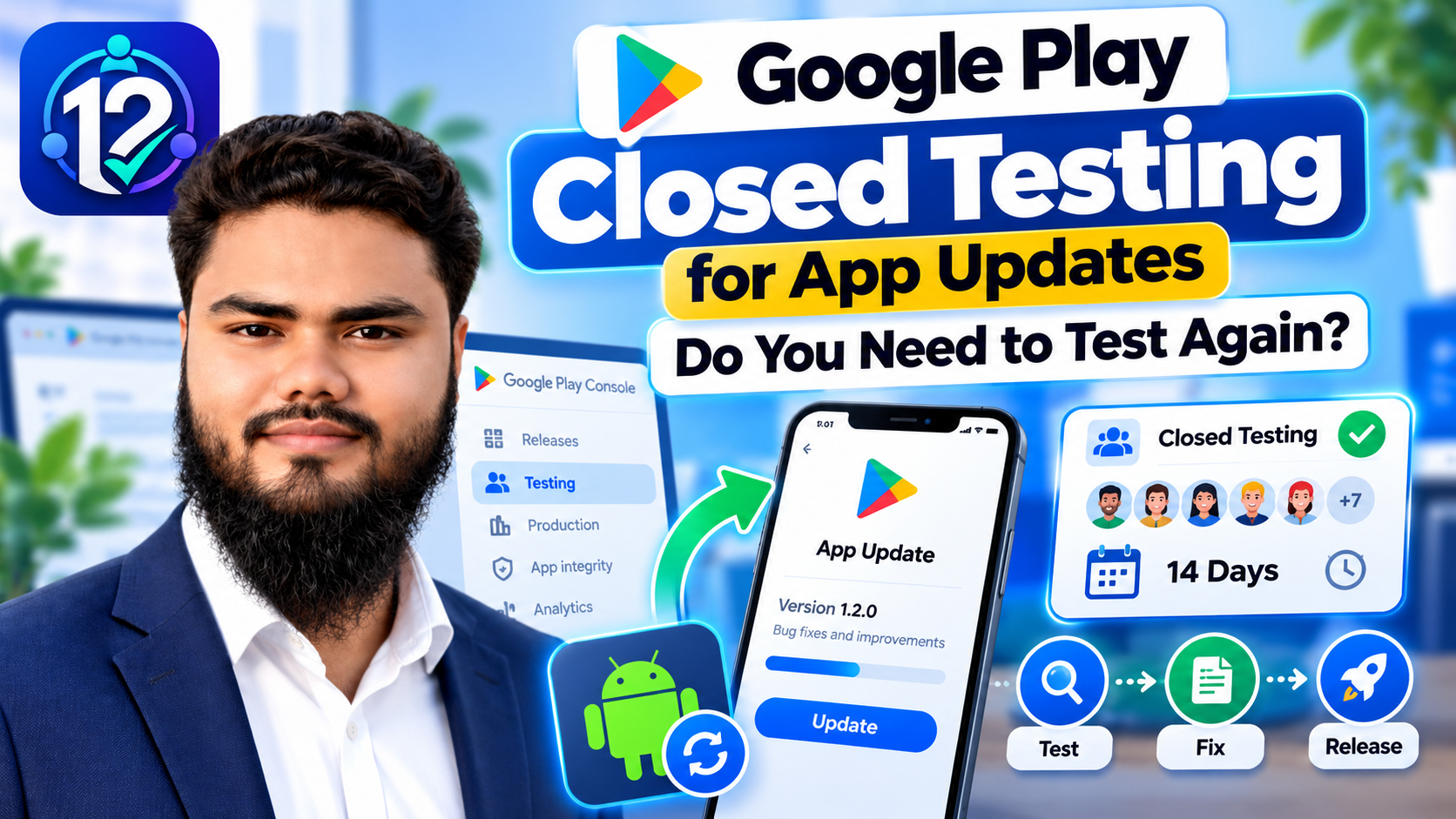
An ordinary update to an app that is already in production does not require another 12 testers or another 14-day closed test. The 12-testers and 14-day closed-testing requirement is a gate on production access for affected new personal developer accounts — not a toll charged on every release.
- Already in production? Build the update, test the change, create the production release, roll it out — and use a staged rollout if you want to limit exposure first.
- Still testing before your first production release? Upload the fixed build to the same closed testing track and keep going. Google advises updating your app during closed testing before releasing to production.
- Applying for production access? The requirement is still at least 12 testers opted in continuously for the preceding 14 days, and it is checked when you apply.
- Asked to keep testing? Follow the instruction shown in your Play Console and any email from Google. There is no published “wait 14 more days” rule.
- Separate new app? That is a different app, not an update. Treat it as its own submission.
Everything after this point is the reasoning behind those five bullets, plus the practical steps.
What “testing again” actually means
Four different things get called “testing again”, and mixing them up is where most of the anxiety comes from.
| What people mean | What it actually is | Triggered by an update? |
|---|---|---|
| Testing a new build during a closed test | You fixed bugs your testers reported and uploaded a new version to the same track | No — it is the expected workflow |
| Meeting the initial production-access requirement | 12 testers opted in continuously for the preceding 14 days, checked when you apply | No — it applies to the app's first production access |
| Releasing an update to a production app | A normal release: prepare the version, test the change, roll out | This is the update — no new gate attached |
| Additional testing after a request from Google | You were told your app needs more testing and to continue running your closed test | No — it follows a review decision |
Notice that only one row is about updates at all, and it is the one that never requires re-entering the requirement.
Do app updates reset the 14-day period?
Google does not publish a rule that uploading a new version resets the closed-testing period — and it actively advises you to update your app while the test is running. Google's testing requirements state: “Continue running closed tests while resolving user-reported issues and bugs. Updating your app in closed testing before releasing to production helps minimize low ratings and negative reviews.” Uploading a fixed build mid-test is the documented, expected activity, not something that undoes your progress.
What Google does document as affecting the requirement is about testers, not builds:
- Opting out and back in. “Testers who opt in, test for fewer than 14 days, and then opt out do not count toward the requirement. If a tester opts out and opts back in later, the 14 days must be consecutive.”
- Having fewer than 12 opted-in testers when you apply. Google names this as a reason it may require continued testing.
- Insufficient tester engagement during the testing period. Also named by Google as a reason for required continued testing — with no published numeric threshold.
Two things are worth being precise about. First, the requirement is written per tester and checked at the moment you apply, so what matters is whether the testers you are counting have an unbroken opt-in run behind them on that day. Second, none of the documented mechanisms involve your version number: changing the build changes what testers are running, not how long they have been opted in.
Where Google is silent, say so. The documentation does not settle every edge case — for example, whether a change to your tester list or track configuration alters what you see on the Dashboard. This article will not invent a mechanism for those. The authoritative answer is the requirement and progress information in your own Play Console: if it still shows the requirement met, it is met.
If your real question is the wider one — what can break a 14-day period, beyond updates — that is covered in detail in what resets or breaks your testing period, including what Google does and does not publish about installs, usage and engagement.
Figure 1 — The 12-testers and 14-day requirement is attached to the app's first production access, not to each new version.
Already published: updating an app in production
Once your app is on Google Play, releasing an update is ordinary release work. Google's release documentation describes a release as one or more app versions you prepare to launch an app or roll out an update, and the mechanics are the same whether you are updating or launching.
A typical update runs like this:
- Build the new version with a version code higher than the live build — devices use version codes to decide what to install.
- Check the rules that apply to every submission, which are separate from the testing gate. The most common is the target API level requirement: new apps and app updates must target a recent Android API level.
- Test the change on internal testing for a fast pass, a closed or open track for group coverage, and the pre-launch report Play Console generates on upload. Scale depth to risk — see the checklist below.
- Review crashes, bugs and the main journeys. Test what you changed, then test what you did not, because that is where regressions hide.
- Create the production release under Test and release > Production and clear any errors the console reports. You cannot create a release while you have outstanding releases — roll staged releases to 100% or discard unpublished changes first.
- Roll out, staged if you want. A staged rollout reaches a percentage of users that you widen over time. Google notes it is for updates only, not a first publish, that users are chosen at random, and that halting and resuming affects the same users.
- Monitor after release. Watch crash reports, Android vitals and reviews; during a staged rollout Google recommends close monitoring, and those users can leave public reviews.
Nowhere in that workflow is there a second 12-tester closed test. Google's guidance after approval is to “continue testing your app thoroughly before publishing production updates” — a recommendation to test, not a re-run of the access gate.
Figure 2 — Two different jobs: a one-time eligibility gate, then repeated release work that still has to satisfy the normal submission rules.
Not yet in production: what applies before your first release
If you are on an affected account and have not obtained production access yet, the requirement is the one you are working through. Google's testing requirements state that personal developer accounts created after November 13, 2023 must run a closed test with a minimum of 12 testers who have been opted in continuously for at least 14 days, and that Production and Pre-registration stay disabled until those criteria are met.
The parts that matter most while you wait:
- Closed testing specifically. “You must run a closed test before applying to publish your app to production.” Internal testing does not substitute for it, and open testing only appears after production access.
- Continuous opt-in, per tester. Testers who opt in, test for fewer than 14 days and then opt out do not count, and a tester who opts back in later needs 14 consecutive days again.
- A live opted-in count when you apply: at least 12 testers opted in at that moment, and continuously for the preceding 14 days.
- Track participation during the fortnight, not on day 14. The count is a requirement in its own right, so a dropout found on the last day is a real problem.
- Fix what testers find. Google asks you to respond to feedback and resolve bugs throughout, and to summarise your feedback when you apply.
- Eligible, not approved. Google reviews the application and emails the outcome, usually within seven days or less. It may ask for continued testing if fewer than 12 testers are opted in or engagement was insufficient.
For the mechanics of recruitment, the opt-in link and the fortnight itself, the complete 14-day guide for 12 testers walks through the whole process, and adding testers to a closed test covers the setup. When you are ready to apply, how to answer the production access questionnaire goes through the three sections of the form.
Which situation applies to you?
Find your row. The middle column is the part people get wrong.
| Your situation | Is the 12-testers / 14-day requirement automatically repeated? | Recommended next step |
|---|---|---|
| Affected new personal account, before your first production access | It applies now — this is the gate, not a repeat of it | Keep 12+ testers opted in continuously and apply from the Dashboard once the 14 days are behind them |
| App already in production, routine update | No | Build, test the change, create the production release, roll out (staged if you prefer), monitor after release |
| New build uploaded during a pre-production closed test | No documented reset | Upload a higher version code to the same track, confirm testers receive it, keep the opt-in run intact |
| Google asked for additional testing | Not automatically — but you are being asked to keep testing | Continue the closed test as instructed, use the time to fix what was reported, and follow the guidance in your console and Google's email |
| Submitting a separate new app | Treated as its own app, not as an update | Check your own console for that app's status; do not assume progress on one app carries to another |
Two qualifications belong with that table. The requirement applies to personal accounts created after November 13, 2023 — an organisation account, or a personal account created before that date, is not subject to this particular gate. And the table describes what Google publishes; where your console shows something different, your console is the authority.
How to update a build during a closed test
This is the workflow for replacing the build your testers are running while the test continues. Before you start, note one official constraint: you cannot create a new release while you have outstanding releases — roll any staged release to 100%, or remove and discard unpublished changes on the Publishing overview page, first.
- Find the track: Test and release > Testing > Closed testing. Click Manage track for an existing closed track or Create track for another one; multiple closed tests can run at the same time.
- Raise the version code. Devices receive the highest version code compatible with them that is published to a track they are eligible for, so a lower-numbered build reaches nobody.
- Know which tracks your testers are eligible for. Closed testers are eligible for both Production and Closed testing and receive the highest build across them; internal testers only ever receive the internal build.
- Create the release, upload the bundle, add release notes and save.
- Roll it out, clearing any errors — warnings and minor issues do not block publishing, errors do.
- Confirm testers actually receive it rather than assuming: Play Console shows validation messages when a track's users receive updates from another track, known as the track's fallback status.
- Verify the fix on a device, not just in the console. Ask a tester to confirm the updated version installed and the reported issue is gone.
One important warning comes from the same documentation: if you change your app signing key on an early release, internal and closed track users who already installed the app stop receiving updates and must uninstall and reinstall. If you are relying on a stable tester group through a testing period, do not do that casually.
How to test an update before releasing it
An update is a change to software that is already working for real users, which makes regression the main risk. How deep you go should match what you changed — a copy tweak is not a payment rewrite.
| Check | What to look for | Depth |
|---|---|---|
| The new features or fixes | They do what the release notes claim, on a real device | Every update |
| The main user journey | Install, launch, sign in, reach the core task and finish it | Every update |
| Upgrade, not just install | The update applies over the previous version and existing user data survives | Every update |
| Login and data persistence | Sessions survive the update; nothing the user had is lost or duplicated | If you touched accounts or storage |
| Permissions and notifications | New permissions are requested and explained; notifications still arrive on restrictive manufacturer builds | If you added either |
| Supported devices and Android versions | The change works on your oldest supported version and your smallest supported screen, not only your own phone | If the change touches UI or platform APIs |
| Crashes and performance | No new crash or ANR on the weakest device you test; startup time has not regressed | Every update |
| Regression pass on untouched features | Everything that used to work still works — especially anything sharing code with what you changed | Any non-trivial change |
| Release notes and store listing | They describe what actually changed and comply with policy | Every update |
| Readiness to roll forward or back | You know how you would halt a staged rollout and what you would ship if the update goes wrong | Every update |
How deep you go should match what you changed. A one-line copy fix does not need the same pass as a rewrite of your sign-in flow, and a change that touches shared code deserves more regression testing than a change that does not.
Common mistakes
- Assuming every update needs another 14-day test. For a published app, an update is a release — not a re-entry into the access gate.
- Assuming a major update needs no testing. Rewrites and platform-level changes deserve the full checklist; staged rollouts exist because updates carry risk.
- Confusing production access with release approval. Access lets your app be distributed; each release is still prepared, reviewed and rolled out, and policy still applies.
- Ignoring Play Console messages. Errors block publishing, warnings do not, and a fallback-status message can reveal your testers are receiving a different track's build than you think.
- Uploading without checking the release status. The version code must be higher than the live one, and the release must actually be rolled out rather than left as a draft.
- Retesting the fix but nothing else. A fix that is not retested is a hope; a fix retested in isolation is a regression waiting to be found.
- Treating a clean pre-launch report as clearance. Google states it cannot guarantee tests will identify all issues. It is one input.
- Treating a separate new app as an update. A different app is its own submission with its own status — check the console for that app.
- Treating “more testing required” as a timed penalty. It is a review outcome with no published waiting period that fixes it; improve the evidence instead. What “more testing is required” actually means covers that in detail.
Frequently asked questions
Do I need 12 testers again after updating my app?
If your app is already in production, no. The requirement is a gate on production access for affected new personal developer accounts, not a condition attached to each update. If you have not yet obtained production access, it is the gate you are working through — and updating your build during that test is what Google advises, not something that undoes it.
Does uploading a new version reset the 14-day period?
Google publishes no such rule, and it tells developers to continue running closed tests while resolving reported issues, saying that updating your app in closed testing before releasing to production helps minimize low ratings and negative reviews. What Google does document concerns testers: opting out before completing 14 days, needing a fresh consecutive run after opting back in, having fewer than 12 opted-in testers, or insufficient engagement.
Can I update my app during closed testing?
Yes, and Google expects it. Upload a bundle with a higher version code to the same track. Two constraints apply: you cannot create a new release while you have outstanding releases, so roll staged releases to 100% or discard unpublished changes first; and devices receive the highest version code compatible with them that is published to a track they are eligible for.
Do production apps need closed testing for every update?
No. Google's guidance is to continue testing thoroughly before publishing production updates, and testing tracks stay available after approval, but the documented 12-tester and 14-day gate is attached to obtaining production access. An update still has to meet the normal submission rules, such as the target API level requirement.
What if Google asks me to test longer?
Follow the instruction in your Play Console and in Google's email. Google's published wording is that if your app requires additional testing you may need to continue running your closed test, with fewer than 12 opted-in testers and insufficient engagement named as reasons. No fixed waiting period is published, so use the time to fix what was reported.
Does production access mean every future update is automatically approved?
No. Production access makes your app available on Google Play; each release is still prepared and rolled out, and your app still has to comply with Google Play policies. Google's own guidance notes that review is not a troubleshooting step, and that submitting non-compliant apps expecting reviewers to find issues leads to rejections and delays.
Should I test a major update before releasing it?
Yes. Google's release guidance is that you must test your app before releasing it to production, and its post-approval advice is to keep testing thoroughly before publishing production updates. A staged rollout is the practical middle path: test for depth first, then release to a percentage of users and monitor as you widen it.
The short version
Two sentences cover most of it. The 12-testers and 14-day closed-testing requirement is about getting your app its first production release on an affected account; it is not a recurring tax on versions. And an update is a release, so it deserves testing — scaled to what you changed, retested where you fixed something, and monitored after it goes out.
Where the documentation is silent, resist invented rules: check the requirement and progress information in your own Play Console, and read the wording of any message Google sends you. That is the only place the answer for your account actually lives.
If you would rather not run the first testing period yourself
12 Testers Community organises Google Play closed testing on real Android devices: 12+, 15+ or 20+ verified testers across the full 14 days, a live progress dashboard, and a written report at the end with issues ranked by severity and priority. Plans start at $14.99 as a one-time payment, with a money-back guarantee and a free retest if Google does not approve.
We are not affiliated with Google and cannot guarantee production access or approval — those decisions are Google's alone. What we provide is the testing period itself, run on real devices, with feedback you can act on. See how it works →
Official resources
- App testing requirements for new personal developer accounts — the 12-testers and 14-day criteria, the testing tracks, the production access application and its review, and the documented reasons continued testing may be required.
- Set up an open, closed, or internal test — how the testing tracks work, tester lists, and how devices pick up a version across tracks.
- Prepare and roll out a release — creating and rolling out a release on any track, release notes, and what to do when you have outstanding releases.
- Release app updates with staged rollouts — staged rollouts for updates, who receives them, and halting, resuming and widening a rollout.
- Target API level requirements for Google Play apps — the API level new apps and app updates must target, and when.
About this guide. 12 Testers Community organises Google Play closed testing for Android developers. Every Google policy statement here was read from the Play Console Help pages listed above in October 2026 and is quoted or paraphrased as published. Where Google does not publish a rule, this article says so rather than filling the gap.
Wider reading: what resets or breaks a testing period, what “more testing is required” means, and why production access is still rejected after 14 days.
