
Last verified against Google Play Console Help: October 2026.
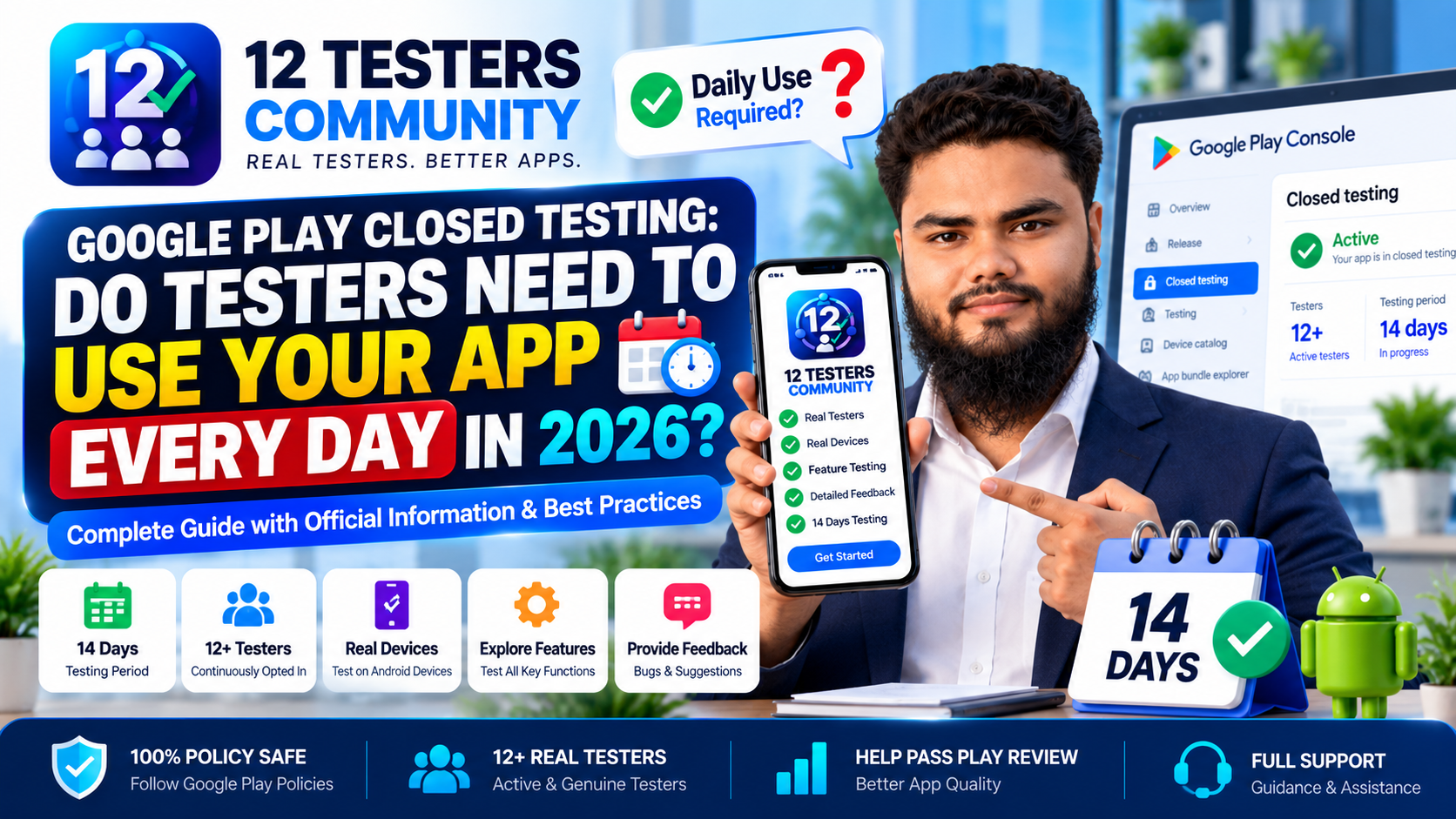
"Do my Google Play testers have to open and use my app every single day?" is the most repeated question in closed-testing communities, and the honest answer is shorter than the articles written about it. Google does not publish a rule that testers must open your app every day. What Google does publish is a continuous opt-in requirement — and a production access review that asks you to describe how testers actually engaged. Those are different things, and the gap between them is where most misleading advice about "daily usage" comes from.
This article keeps three things separate: what Google officially requires, quoted from Play Console Help; what Google asks you about when you apply for production access; and what developers should do in practice. Every Google-specific claim is drawn from Google's documentation and linked; everything else is labelled as practical guidance.
Quick answer
- Daily opening is not an official requirement. Google documents no minimum number of daily opens, sessions, minutes or actions. Any specific daily number you read elsewhere is not in its documentation.
- Continuous opt-in is an official requirement. At least 12 testers must be opted in when you apply, and must have been opted in continuously for the preceding 14 days.
- Engagement still matters. Google names insufficient tester engagement as a reason it may require continued testing, and its application form asks you to describe tester engagement and feature usage.
- Aim for genuine use, not a daily ritual. Give testers something real to do, collect what they find, act on it and keep them opted in.
- No guarantee follows. Meeting the 14 days makes you eligible to apply — Google reviews every application itself.
What Google officially requires from testers
Google Play Console Help states that developers with personal accounts created after November 13, 2023 must run a closed test with a minimum of 12 testers who have been opted in continuously for at least 14 days before the app is eligible for distribution. Until then, Production and Pre-registration stay disabled.
The same page is precise about the application moment: "At least 12 testers must be opted in to your closed test when you apply for production access, and they must have been opted in continuously for the preceding 14 days." That is the whole written requirement, and it measures opt-in status over a 14-day window — not opens, sessions or minutes. Organisation accounts sit on a different track. The rule in isolation is covered in 12 testers and 14 days explained; this article is about what testers are expected to do inside that window.
Does Google require daily app usage?
No. There is no published daily-usage requirement. Google's app testing requirements article and its testing setup guide describe opt-in continuity, feedback collection and feature coverage — but no session count, no session length and no "open the app once a day" instruction. Its FAQ on continuous opt-in discusses opting in and out, never opens. The written rule and the review simply measure different things, and the table below is the distinction worth bookmarking.
| Question | Official Google position | Practical guidance |
|---|---|---|
| Daily app opening | No published requirement. No minimum number of opens, sessions, minutes or actions is documented. | Encourage regular use, but treat any specific daily number as advice — not a rule to satisfy. |
| Continuous opt-in | Required. At least 12 testers opted in continuously for the preceding 14 days when you apply. | Verify opt-in status in Play Console yourself; "I installed it" is not the same as "I am opted in". |
| 14-day duration | Required minimum. Testers who test for fewer than 14 days and then opt out do not count. | Start counting only when your twelfth tester is genuinely opted in — not when you send invites. |
| Feature usage | Asked about. The application asks whether testers used all available features. | Give testers a short feature checklist and ask for one observation per area. |
| Tester feedback | You must summarise your testing feedback when applying for production access. | Keep a running record during the test; do not reconstruct it the night before you apply. |
| Production-readiness preparation | Asked about. The application asks what you changed and how you decided the app was ready. | Fix, document and retest real issues as they arrive, so the answer writes itself. |
Why tester engagement still matters
If daily usage is not required, why does every serious guide tell you to worry about it? Because of the review, not the rule. Google states that if your app needs additional testing, you may be asked to continue running your closed test. It names two documented reasons: fewer than 12 opted-in testers, or insufficient tester engagement during the testing period. The first is a number; the second is exactly the judgement a quiet, install-and-forget test fails.
The application form reinforces this: it asks you to summarise the feedback you received, describe the changes you made, and explain how you decided the app was ready — answers only possible if people actually used the app. Google does not publish how it weighs engagement, but you can make sure you are clearly on the right side of it.
What "continuous opt-in" actually means
Google answers this directly in its FAQ: "Testers who opt in, test for fewer than 14 days, and then opt out do not count toward the requirement. If a tester opts out and opts back in later, the 14 days must be consecutive to count toward the minimum requirement of 12 continuous opted-in testers."
The clock is measured in opt-in status, not app opens. Google also tells developers to "inform your testers that they need to remain opted in to your closed test continuously for at least 14 days." That is an instruction about staying on the track, not a daily habit inside the app.
| Event | What Google documents |
|---|---|
| Opting out | Ends that tester's continuous period. If they opt back in, the 14 days must be consecutive to count again. |
| Dropping below 12 opted in | You no longer meet the requirement, and you need 12 testers with 14 continuous days to apply. |
| Missing a day without opening the app | Not documented as breaking the opt-in period. It may still weaken what your application can say about engagement. |
| Uninstalling the app | Not documented as ending opt-in or restarting the window — but an uninstalled app produces no usage to show. |
If a tester has genuinely opted out or dropped off, what resets or breaks your testing period walks through the recovery, and keeping 12 testers opted in for 14 days is the retention playbook.
What testers should do during the 14-day test
Since Google defines no daily quota, the useful question is not "how often" but "what for". Practical guidance, not a Google rule:
- Actually use the app. Installing and leaving it is the pattern that leaves your application empty.
- Explore important features, not just the home screen. Google's guidance is to encourage testers to use as many features as possible.
- Follow realistic user flows — sign up, sign in, search, pay, edit a profile, share something.
- Report bugs and confusing moments with the device, version and what they were doing.
- Retest important changes when you ship a fix.
- Stay opted in throughout — the one instruction Google itself tells you to give testers.
How much testing is enough?
There is no published number, so the honest answer is: enough to produce real evidence. Think about coverage rather than a quota — a simple grid of your important features and flows, and whether each has been exercised by a couple of testers on real devices during the fortnight. That surfaces gaps a daily-open counter never would. Pay particular attention to the areas most likely to hide problems: onboarding, permissions, login, anything involving money, offline behaviour, and the edge cases testers find by trying to break things. A pre-launch report, where available, complements tester feedback.
Compare the two habits below — practical patterns, not rejection triggers Google has published.
| Weak testing pattern | Better testing practice |
|---|---|
| Install and forget | Explore the important features |
| Only ever see one screen | Test realistic user flows end to end |
| No feedback at all | Report useful observations |
| Nothing written down | Keep testing notes as you go |
| Testers leave early | Maintain continuous opt-in to the end |
What Google asks about tester engagement
The production access form has three sections — About your closed test, About your app/game, About your production readiness. The first examines engagement, asking you to describe:
- How easy it was to recruit testers — a selectable option, so honesty is the only sensible strategy.
- Details about tester engagement — whether testers used all available features, and whether usage matched what you would expect from a production user, with differences noted.
- A summary of the feedback you received and how you collected it.
What this rewards is not a daily count but evidence that the test was real and that you listened. Our walkthrough of how to answer the closed testing questionnaire covers each section in detail.
How to collect useful tester feedback
Google's guidance is to provide a clear feedback channel and say exactly what feedback you want; testers can also leave private feedback through Google Play, which appears on the Testing feedback page in Play Console (Monitor and improve > Ratings and reviews > Testing feedback). Keep a running log — date, tester, device, version, observation, and your fix. Google requires you to summarise this when you apply, and what to record during your 14-day test shows the format.
How developers can encourage genuine testing
Testers go quiet for ordinary reasons: they forgot, the ask was vague, or they never understood what "testing" involved.
- Be specific. "Try the sign-up flow and the search screen this week, and tell me if anything is confusing" is a task volunteers can finish; "open the app once a day" is not.
- Make opt-in effortless. Send the link directly, confirm each tester appears in Play Console, and remind the group mid-run that staying opted in protects the 14 days.
- Recruit a buffer so one dropout does not drop you below 12 — see how to get 12 real testers.
- Ask for the negative, then close the loop. "What confused you?" produces more than "does it work?", and telling testers what you fixed keeps volunteers engaged.
What happens if testers install but barely use the app?
Your 14-day window is probably intact, because Google measures opt-in status — a tester who installs but rarely opens the app is still opted in. Your application gets weaker: you have little to say about engagement, feature usage, feedback or the changes you made. Google documents that it may require continued testing when there is insufficient tester engagement during the testing period. That is not a guaranteed rejection, and no threshold is published — but near-zero usage is the profile most exposed to it, and a clearer ask avoids it.
Daily usage vs. genuine testing: what's the difference?
Daily usage is a proxy metric: easy to state, easy to count, a reasonable sign that someone remembers the app exists. Genuine testing is the thing it stands in for: real people on real devices exercising real features, finding real problems, with a developer who records and fixes them. A tester who opens the app daily and taps one screen produces activity; a tester who works through onboarding, search, checkout and settings produces evidence. Optimise for coverage, feedback and continuity — not a number Google never published.
Common misunderstandings about the 14-day requirement
- "Google requires testers to open the app daily." Not documented. The requirement concerns opt-in over the preceding 14 days, and Google's FAQ discusses opting in and out, not opens.
- "There's a magic daily number — five minutes, three sessions, ten opens." No such threshold appears in Google's documentation; treat specific daily figures as folklore.
- "A missed day resets the 14 days." The clock runs on opt-in status; a missed day is not documented as resetting it — though it costs you a day of feedback.
- "Uninstalling restarts the period." Google does not document uninstalling as ending opt-in. It does remove the app that would have produced usage.
- "Google needs 20 testers." Older guides still say 20; current Play Console Help says a minimum of 12 testers opted in continuously for at least 14 days.
- "Completing 14 days guarantees approval." It makes you eligible to apply; Google reviews each application and can require more testing.
The corollary to all six: keep the test honest. Bought accounts, emulator farms and scripted opens have nothing to do with the documented requirement and everything to do with behaviour Google's policies exist to catch. Real testers on real devices are both compliant and effective — see what counts as an eligible tester.
Practical 14-day tester engagement checklist
Before day 1
- ☐ Testers know which account to opt in with and can access the test
- ☐ Each tester shows as opted in in Play Console, not just "invited"
- ☐ Testers have written instructions and you have a feedback channel ready
During testing
- ☐ Testers explore key features and realistic user flows
- ☐ Bugs and usability problems are reported as they are found
- ☐ You retest fixes and record findings as they happen
Before you apply for production access
- ☐ Feedback is reviewed and the changes documented
- ☐ Tester opt-in is verified — 12+ opted in continuously for 14 days
- ☐ Your questionnaire answers are drafted, honest, and the app is ready
This checklist is practical guidance, not a set of Google requirements, and checking every box does not guarantee approval.
Do Google Play testers need to use your app every day? FAQ
Do Google Play testers have to open the app every day?
No. Google does not publish a daily-open requirement, and its documentation sets no minimum number of opens, sessions or minutes. Its written rule concerns continuous opt-in over the preceding 14 days, and its guidance asks you to encourage testers to use as many features as possible.
Does Google require daily active testers?
No. Google documents no daily active tester target. The requirement measures opt-in status; engagement is what the application asks you to describe.
What does "continuously opted in" mean?
Each tester must remain opted in without interruption. Google's FAQ explains that a tester who tests for fewer than 14 days and then opts out does not count, and that opting back in restarts their 14 consecutive days.
Can testers skip a day?
Nothing in Google's documentation says a day without opening the app breaks opt-in continuity; the documented break is opting out. That said, skipped days mean less usage and feedback — the material your application is built from.
Does installing the app count as testing?
Installing is a baseline, and a tester must be opted in for the count to matter at all. But an install with no usage leaves nothing to report about feature coverage or feedback — and the application asks about both.
Does uninstalling affect the testing period?
Google does not document uninstalling as ending opt-in or resetting the window. But an uninstalled app cannot produce the usage and feedback that make an application convincing, so treat an uninstall as a lost tester and recruit a replacement.
Do testers need to use every feature?
Google's guidance is to encourage testers to use as many features as possible, and the application asks whether testers used all available features. Broad coverage is clearly what the process is designed to elicit.
What does Google mean by tester engagement?
In Google's guidance it means clear instructions, specifying the feedback you want, encouraging broad feature use, providing a feedback channel, and acting on what you receive. The application then asks you to describe that engagement and whether usage matched expected production behaviour.
What happens after 14 days?
Once at least 12 testers have been opted in continuously for the preceding 14 days, you can apply for production access from the Dashboard in Play Console and answer the three application sections.
Can I apply for production access immediately after 14 days?
Yes — once the criteria are met, the application is available. "Immediately" assumes all 12 testers have been continuously opted in for the preceding 14 days.
Does 14 days guarantee production access?
No. Completing the closed test makes you eligible to apply; Google reviews the application and decides the outcome. It may also require continued testing, for example if you have fewer than 12 opted-in testers or the test shows insufficient engagement.
How should I collect tester feedback?
Set up a clear channel — email, a form or a group chat — and say exactly what you want to know. Testers can also submit private feedback through Google Play, readable on the Testing feedback page in Play Console. Record everything as it arrives so you can summarise it accurately.
Final takeaway
Google Play testers do not need to use your app every day. The documented requirement is continuous opt-in: at least 12 testers, opted in without interruption, for the preceding 14 days. Daily usage numbers that circulate online are practical advice dressed up as policy — no source can point to a Google page that sets one.
But "not required" is not the same as "doesn't matter". Google asks you to describe tester engagement and feature usage, and names insufficient engagement as a reason it may require more testing. So satisfy both the rule and the review: keep testers opted in for the full window, give them specific things to explore, collect what they find, and fix it. Aim for a test that produced evidence — not one that produced a streak.
Want testers who actually use your app?
12 Testers Community provides managed Google Play closed-testing support — 12+ real testers on real Android devices, opted in and kept opted in for the full 14 days, exploring your features and reporting what they find. You get a written testing report for your production access application, without chasing daily opens. Start your closed test or read the plans and pricing first. We do not promise Google approval — no one can.
