
Last verified against Google Play Console Help: October 2026.
"How long does Google Play closed testing take?" is really two questions. The first is how long the closed test itself takes, and that has a hard, published answer: a minimum of 14 days. The second is how long the whole journey from a finished app to a live listing takes, and that has no single number, because most of it is not the test at all.
Developers lose weeks to that confusion. They plan a launch around "14 days", then discover that recruiting 12 testers who stay opted in, preparing the production access application, waiting on Google's review and shipping the release all sit outside that fortnight. This article maps the complete end-to-end timeline and marks every stage as fixed, variable, developer-controlled or Google-controlled. Every claim about Google below is quoted from Google's documentation or labelled as practical guidance.
Quick answer
- The closed test itself: a minimum of 14 days, with at least 12 testers opted in continuously. This part is fixed and cannot be shortened.
- Everything before it is variable. Preparation, recruiting testers and getting all 12 opted in depend on how ready you are and how you recruit. Most of the real time goes here.
- Google then reviews your application. In Google's words, review "usually takes seven days or less, but can occasionally take longer." There is no guaranteed turnaround.
- Meeting the 14 days makes you eligible to apply. It does not approve you. Google can ask you to keep testing — it names fewer than 12 opted-in testers, or insufficient tester engagement, as reasons.
- Realistic end to end: if everything is ready before the 14 days begin, many developers land near three weeks from starting the closed test to production access. That is a practical observation, not a Google figure.
Who this timeline applies to
Google's requirement is specific about its audience. Play Console Help states that developers with personal accounts created after 13 November 2023 must run a closed test with a minimum of 12 testers opted in continuously for at least 14 days before the app is eligible for distribution, and that Production and Pre-registration stay disabled until the requirement is met.
Two clarifications save wasted reading. Organisation accounts are a different track — this requirement is written about personal accounts created after that date. And you can check your own scope in seconds: if your Dashboard offers an Apply for production step, or your Production track is locked, you are inside this requirement. Play Console is the authority for your account, not a blog.
The rule itself is short and precise, which is why so much surrounding advice gets it wrong. 12 testers and 14 days explained covers the rule in isolation; this article is about everything around it — the timeline.
The complete Google Play closed testing timeline
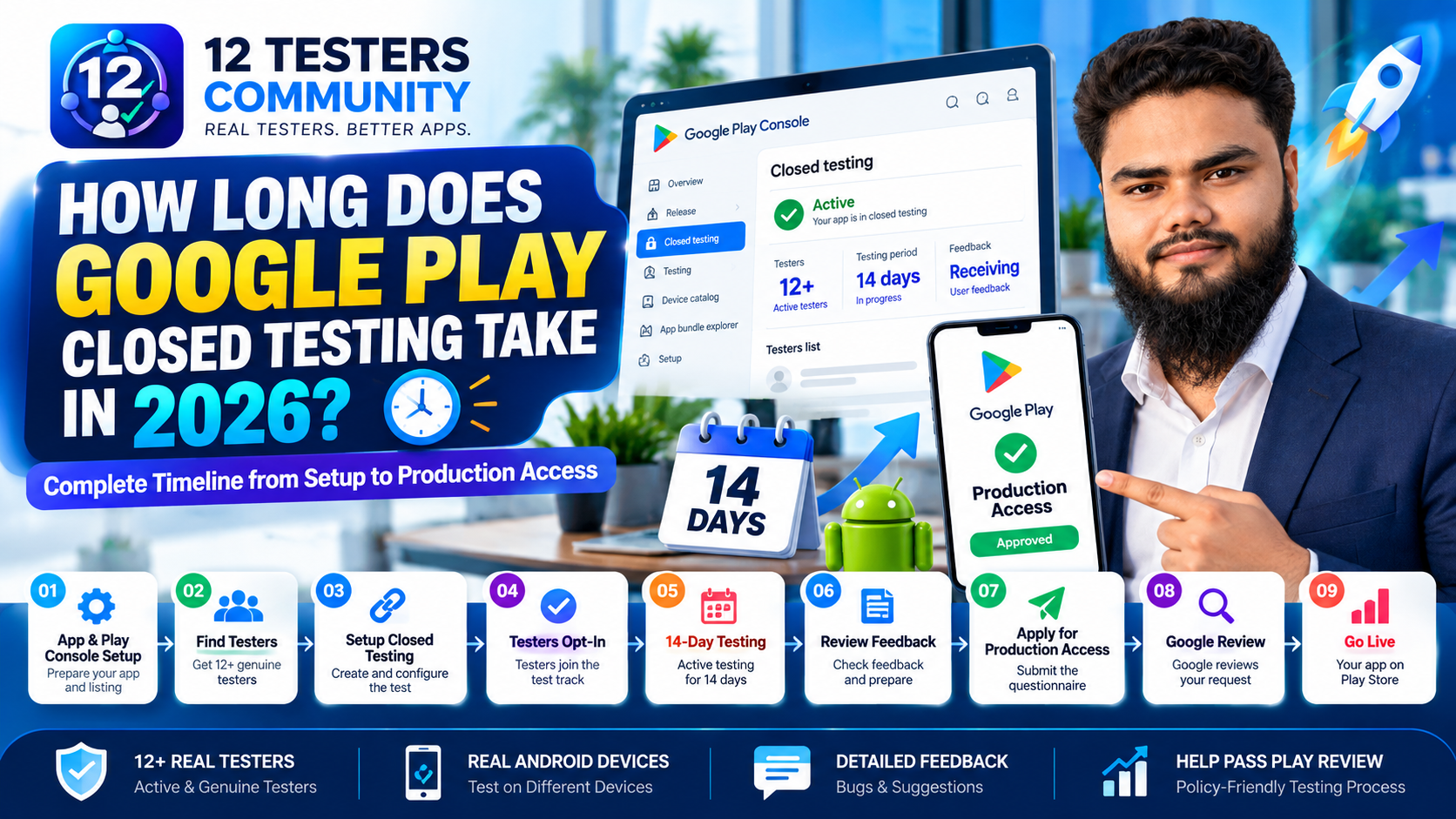
Below is the full journey in nine stages. Stages 1 to 4 and 6 to 7 are largely in your hands, stage 5 is measured in days you cannot shorten, stage 8 depends on Google, and stage 9 is yours again — though the release itself is reviewed before it goes live.
The nine stages: app & Console prep → find testers → create the test → opt in → 14 days (fixed) → feedback & prep → apply → Google review → release.
1. App and Play Console preparation — variable, developer-controlled
Nothing can start until your app is worth testing and your Play Console setup is complete enough for a closed test to go live. Google is explicit that you can start a closed test after completing your app setup — setup is the gate, not the calendar.
This stage is the most underestimated, because "app setup" is not one checkbox: store listing, content rating, Data safety, target audience, and — for apps with a login — valid test credentials, since Google notes reviewers need working login credentials to test your app's features. A missing step stops the 14 days from starting.
There is also a delay most timelines ignore. Google states that after publishing a test for the first time, the test link can take several hours to become available to testers, and that additional changes can also take several hours. Do not plan to publish and share the link in the same minute.
2. Finding and preparing testers — variable, developer-controlled
This is the largest variable in the timeline. Google's guidance is to recruit from personal and professional networks — friends, family, colleagues, classmates — and from communities where potential users already gather.
Success is not "12 email addresses". It is 12+ people who accept an invitation, complete their own opt-in, and stay opted in continuously for 14 days. Invited, joined and installed are not the same as opted in — see what counts as an eligible tester.
Practical guidance, not a Google rule: recruit a buffer, because one dropout mid-run can drop you below the threshold. If you source testers yourself, how to get 12 real testers covers where to look and how to screen them.
3. Creating the closed test — short, developer-controlled
Mechanically this is quick: open the closed testing track, set up the test details, create a release, add your testers by email list or Google Group, and roll it out. A Google Group member must join the group before they can opt in.
Two Console realities matter here. The test link may take several hours to appear after that first publish, and — this surprises people — the opt-in link only displays when the app's status is "Published". Apps in "Draft" or "Pending publication" show no link, so a test that looks live can still be un-joinable. See how to add testers to a closed test.
4. Getting testers opted in — variable, shared with testers
An invitation is not an opt-in. Each tester has to open the opt-in link and complete the step themselves, which makes this a communication problem: you depend on 12+ other people doing a small thing promptly.
That is why "when does the 14 days start?" is more slippery than it looks. Google's wording is about testers who have been opted in continuously for the preceding 14 days at the moment you apply. So your qualifying window is not a single switch on day one — it depends on when your twelfth tester's own continuous streak completes. If tester number 12 opts in on day six, you meet the requirement when that tester's 14 days are up, not on day 14.
Practical guidance: make the opt-in a same-day deadline, then verify in Play Console rather than waiting for confirmations. Keeping the group intact is its own skill — see keeping 12 testers opted in for 14 days.
5. The 14-day testing period — fixed minimum
Once at least 12 testers are genuinely opted in, the run is measured in days that simply have to pass. Google's requirement is a minimum of 14 days of continuous opt-in — a floor, not a fixed total, so some runs legitimately take longer.
- Officially true: testers must be opted in continuously, and Google's guidance is to tell them plainly that they must remain opted in for at least 14 days.
- Officially true: engagement matters to the outcome. Google lists insufficient tester engagement during the testing period as a reason it may require you to keep running the closed test.
- Not official: any specific number of opens, minutes or sessions per day. Google publishes no daily activity quota, so treat exact daily numbers quoted elsewhere as community practice, not policy.
"Keep the run stable and the testers active" is therefore good practice with a documented consequence behind it, not a checklist of daily targets. If the run breaks, what resets or breaks your testing period deals with that problem.
6. Reviewing feedback and preparing for production — variable, developer-controlled
This stage runs alongside the 14 days, not after them, which is exactly why it need not add time. Google asks you to record and act on feedback throughout the test, and it requires you to summarise your testing feedback when you apply — so feedback written up as you go costs nothing extra.
Set the funnel up on day one: a clear feedback channel, the Testing feedback page in Play Console where private feedback appears, and a simple record of what you received and what you changed. What to record during your 14-day test is the companion piece.
7. Applying for production access — short, developer-controlled
From the Dashboard in Play Console you select Apply for production and answer questions across three sections: about your closed test, about your app or game, and about your production readiness. Because you cannot apply until the criteria are met, this stage adds little wall-clock time — but a thin or evasive application can cost you a whole extra test cycle. Our walkthrough of how to answer the closed testing questionnaire covers what each section asks and what evidence to have ready.
Before you apply: Google is direct that policy compliance is your responsibility and that review is not a troubleshooting step. Submitting a non-compliant app expecting reviewers to find the issues leads, in Google's own words, to rejections, review delays and lengthier appeals — delays measured in weeks, not days.
8. Google's production access review — Google-controlled
Once you submit, Google reviews the application and emails the account owner when the review completes. Google's published guidance is that review usually takes seven days or less, but can occasionally take longer. That is the only review-time statement Google makes, so treat any table promising a fixed two- or three-day decision as an undocumented estimate.
Two outcomes matter for planning. On approval, your app's Production page and Open testing become available and you can distribute on Google Play. If Google requests continued testing, you may need to keep the closed test running — Google names fewer than 12 opted-in testers, or insufficient tester engagement, as reasons. That turns a three-week launch into a five-week one, and it is the strongest argument for over-recruiting and tidy feedback. If it happens, why production access is still refused after 14 days is the recovery path.
9. Releasing the app to production — you control it, then review
Approval is not the launch. After it, you still create and roll out a production release, and that release is reviewed before it becomes visible on Google Play. Google publishes no fixed duration for that review either, so leave a buffer before any launch date you announce publicly rather than promising a same-day publish. Google's guidance at this point is simply to keep testing thoroughly before publishing production updates.
End-to-end timeline at a glance
Read the "typical dependency" column as the honest answer to "what does this stage actually wait on?" — not as a duration promise.
| Stage | What happens | Typical dependency | Can you speed it up? |
|---|---|---|---|
| 1 · App & Console prep | App ready to test; listing, content rating, Data safety, test credentials complete | Depends on your preparation | Yes — do it early |
| 2 · Recruit testers | Line up 12+ people who will opt in and stay opted in | Variable — hours to weeks, depending on your method | Yes — your biggest lever |
| 3 · Create the test | Closed track configured and first release rolled out | Short; test link can take several hours to appear | Mostly no — plan for the delay |
| 4 · Testers opt in | Each tester completes their own opt-in; you verify the count | Variable — how fast 12 people act | Partly — brief and chase them |
| 5 · 14-day test | Testers stay opted in continuously; you gather feedback | Fixed minimum of 14 days | No — the hard floor |
| 6 · Feedback & prep | Log what testers report, fix what you can, draft your answers | Concurrent with stage 5 | Yes — do it as you go |
| 7 · Apply | Submit the three-section application from the Dashboard | Short, once criteria are met | Yes — prepare answers in advance |
| 8 · Google review | Google reviews the submission and emails the outcome | "Usually seven days or less, but can occasionally take longer" | No — Google-controlled |
| 9 · Production release | Create and roll out the release; it is reviewed before going live | Review-dependent; no published duration | Partly — have it ready |
Sources: Google Play Console Help — App testing requirements for new personal developer accounts and Set up an open, closed or internal test. Duration descriptions are this article's practical reading of those documents, not Google commitments.
Fixed vs variable stages
If you remember one table from this article, make it this one. It is the difference between planning a launch and guessing at one.
| Stage | Fixed or variable? | Who controls it | What that means for your plan |
|---|---|---|---|
| App & Console preparation | Variable | You | Fully compressible — finish it before you announce a date |
| Tester recruitment | Variable | You | The biggest wildcard — start early or use a managed service |
| Test link availability | Fixed by Google | Can take several hours — do not promise same-hour access | |
| Tester opt-in roll-in | Variable | You and your testers | Your window shifts to when the 12th tester's streak completes |
| The 14-day test | Fixed minimum | Google's rule | Immovable — anything less than 14 continuous days fails |
| Feedback & preparation | Variable | You | Runs inside the 14 days — it should not add time |
| Google review | Variable, Google-controlled | Plan for "usually seven days or less", with slack for longer | |
| Production rollout | Variable, Google-controlled | You, then Google | Keep a buffer before any public launch date you commit to |
14-day testing period vs. total launch timeline
This is the distinction the whole article hangs on: the 14-day requirement is one stage of the journey, not the journey. It is a floor on how long 12 testers must stay opted in. It says nothing about how long your app took to prepare, how long recruiting took, or how long Google takes to review your application.
A developer who reads only "14 days" tends to make one of three planning errors. They count backwards and announce a launch date two weeks out, assuming day 15 is launch day — it is not; day 15 is the earliest day they can apply. They start recruiting when the test starts, so ten days of recruiting quietly add ten days to the front. And they forget the review, which even on a smooth approval adds about a week. Stated as a shape rather than a schedule:
Total time ≈ preparation + recruitment + opt-in roll-in + 14 days (minimum) + Google review + production rollout
Only one term in that expression is fixed. That is why two developers can both "do closed testing for 14 days" and launch six weeks apart.
What can make the timeline longer
- Recruiting starts too late. The biggest cause of a long timeline: twelve ready testers on day one keeps the 14 days a clean block, while starting the search afterwards adds its duration to the front.
- The opt-in rolls in slowly. Ten testers opt in on day one and the last two arrive on day seven; the qualifying window moves with them.
- A tester drops out mid-run, or the build goes stale. Continuity is the requirement's centre of gravity, and Google names insufficient engagement as a reason to require more testing.
- Feedback was never recorded. You must summarise testing feedback when you apply; a thin summary weakens an otherwise on-time application.
- Policy, compliance or Console setup problems. Google states plainly that non-compliant submissions lead to rejections, review delays and lengthier appeals, and a missing content rating, Data safety section or working test credentials can block review before it starts.
- Google's review runs long. "Occasionally take longer" is Google's own wording, and it is the part no preparation can speed up.
What you can prepare before the 14 days start
Every item below can happen before the clock you cannot control begins. Done early, none of it adds to your timeline; done late, each one adds days.
- Finish Play Console setup — listing, content rating, Data safety, target audience, and working test credentials if your app has a login.
- Freeze a stable build and build the tester list in advance, so the 14 days run on something usable and day one is about opt-ins rather than recruitment. Recruit a buffer above 12.
- Set up a feedback channel, a log, and a draft of your three application answers, then run a policy pass — turning application day into a review rather than a writing exercise.
For the other direction of the same point, our guide to internal vs closed vs open testing shows which track fits each job — and confirms that internal testing, useful as it is, never counts toward the 12 testers or the 14 days.
A practical launch planning checklist
Use this as the planning skeleton for a first launch on a personal account. It is organised by when each item belongs, so nothing lands on the critical path by accident.
| When | What to do | Why it matters |
|---|---|---|
| Before the test | Complete app setup, listing, content rating, Data safety and test credentials | A closed test cannot start until app setup is complete |
| Before the test | Recruit 12+ testers, with a buffer, and confirm each will opt in promptly | Recruitment is the biggest controllable delay |
| Day 0 | Publish the closed track, confirm the app status is "Published", then share the opt-in link | The link only displays once the app is Published, and can take hours to appear |
| Day 0–1 | Confirm every tester has opted in (Google Group members join the group first) | The qualifying window is anchored to real opt-ins, not invitations |
| During the run | Keep the build stable, encourage engagement, and log feedback as it arrives | Low engagement and thin feedback are listed reasons for more testing |
| Late in the run | Write the feedback summary and draft your three application sections | You must summarise feedback when you apply; drafting early costs no extra days |
| After 14 days | Verify 12+ testers were continuously opted in, then apply from the Dashboard | Applying with fewer than 12 opted in invites a request for more testing |
| During review | Watch the account-owner inbox and keep the closed test available | Google emails the outcome and may ask for continued testing |
| After approval | Create the production release and allow time for its review | Approval unlocks production — it does not publish the app for you |
Common timeline mistakes
Five mistakes, roughly in the order they cost developers time. The last one is the one that tends to end in a second test cycle.
1. Treating 14 days as the whole project
The 14 days is one stage; preparation, recruitment, review and rollout sit around it. Plan the whole chain and treat 14 days as a single fixed block inside it.
2. Starting recruitment on day one of the test
The clock does not start until 12 testers are genuinely opted in, so recruiting time is added, not absorbed. Have your testers ready before the test is published.
3. Expecting same-day access after publishing the test
Google states the test link can take several hours to appear after a first publish, and it only exists when the app status is "Published". Publish, wait, then share.
4. Promising a launch date two weeks out
Day 15 is the earliest you can apply, not the day you launch. Add your expected review window and a rollout buffer before announcing anything publicly.
5. Believing 14 days guarantees approval
The requirement makes you eligible to apply; Google reviews and can require continued testing. Treat the application as a real submission with real evidence behind it.
How long does Google Play closed testing take? FAQ
Does Google Play closed testing always take 14 days?
The testing period has a fixed minimum of 14 days for the accounts the requirement covers. "Always 14 days" is only true of that minimum; a run can take longer if opt-in windows are staggered or you need to continue testing.
Does the whole publishing process take only 14 days?
No. The 14-day testing period is one stage. Preparation, recruitment, opt-in, Google's application review and the production rollout all sit around it, and most of them are variable.
When does the 14-day period start?
Google's wording is that testers must have been opted in continuously for the preceding 14 days when you apply. The practical reading is that what matters is when your twelfth tester's own continuous opt-in reaches 14 days, not a single start button you press on day one. Google publishes no per-tester countdown, so verify opt-in status directly.
Can I apply for production access immediately after 14 days?
Once the criteria are met, yes — you apply from the Dashboard in Play Console. "Immediately" assumes all 12 testers have been continuously opted in for the preceding 14 days and that you can answer the three application sections well. You cannot apply before the criteria are met.
How long does Google Play production access review take?
Google's published guidance is that review usually takes seven days or less, but can occasionally take longer, with an email to the account owner when it completes. Google does not guarantee a specific turnaround, so treat any exact figure you read elsewhere as an estimate.
What happens if I don't have 12 testers at the beginning?
Nothing catastrophic, but your qualifying window shifts. Because the requirement is measured over the preceding 14 days at application time, testers added later begin their own continuous streak when they opt in, so the earliest you can apply moves to when your twelfth tester has been opted in for 14 days. Read what resets or breaks a testing period before planning around partial numbers.
Does internal testing count towards the 14-day requirement?
No. Google's requirement counts testers opted in to your closed test. Internal testing is optional and recommended as a starting point, but internal testers are a separate list and contribute nothing to the 12 or the 14 days.
Does completing 14 days guarantee production access?
No. Meeting the requirement makes you eligible to apply; Google reviews the application and decides. Google documents that it may require continued testing, for example if fewer than 12 testers are opted in or tester engagement was insufficient.
Do testers need to open the app every day?
Google does not document a daily open requirement, nor any minimum number of sessions or minutes per day. It does say insufficient tester engagement is a reason it may require continued testing, so engagement matters to the outcome — but any specific daily number you see quoted is community practice, not policy.
Final checklist
- ☐ I know whether my account is covered by the 12-testers / 14-day requirement
- ☐ My Play Console setup is complete, including working test credentials if my app has a login
- ☐ I have 12+ testers lined up before the test is published, with a buffer
- ☐ I know the test link can take several hours to appear, and that the opt-in link needs "Published" status
- ☐ My testers know, in writing, that they must stay opted in continuously for at least 14 days
- ☐ I am logging feedback as it arrives, not reconstructing it later
- ☐ My three application answers are drafted before the 14 days end
- ☐ I have budgeted for Google's review time — usually seven days or less, occasionally longer
- ☐ My production release is ready to publish as soon as access is granted
The short version
Google Play closed testing takes a minimum of 14 days, and the whole journey to production access takes longer, because preparation, recruitment, review and rollout are not part of those 14 days. That 14-day minimum is the only fixed number in the process: everything before it is yours to compress, and everything after it, up to and including Google's review, is not.
So plan it as a chain rather than a deadline — finish your Play Console setup early, have your 12 testers ready before you publish, keep the run stable, write your feedback down as it happens, and leave slack for the review. Do those five things and the timeline becomes predictable, which is the only kind of launch date worth announcing.
Need real testers so the 14 days can start today?
If recruitment is the stage slowing your timeline, 12 Testers Community provides managed Google Play closed-testing support — 12+ real testers on real Android devices, opted in and kept opted in for the full 14 days, with a written testing report you can draw on for your production access application. Start your closed test or read the plans and pricing first.
