
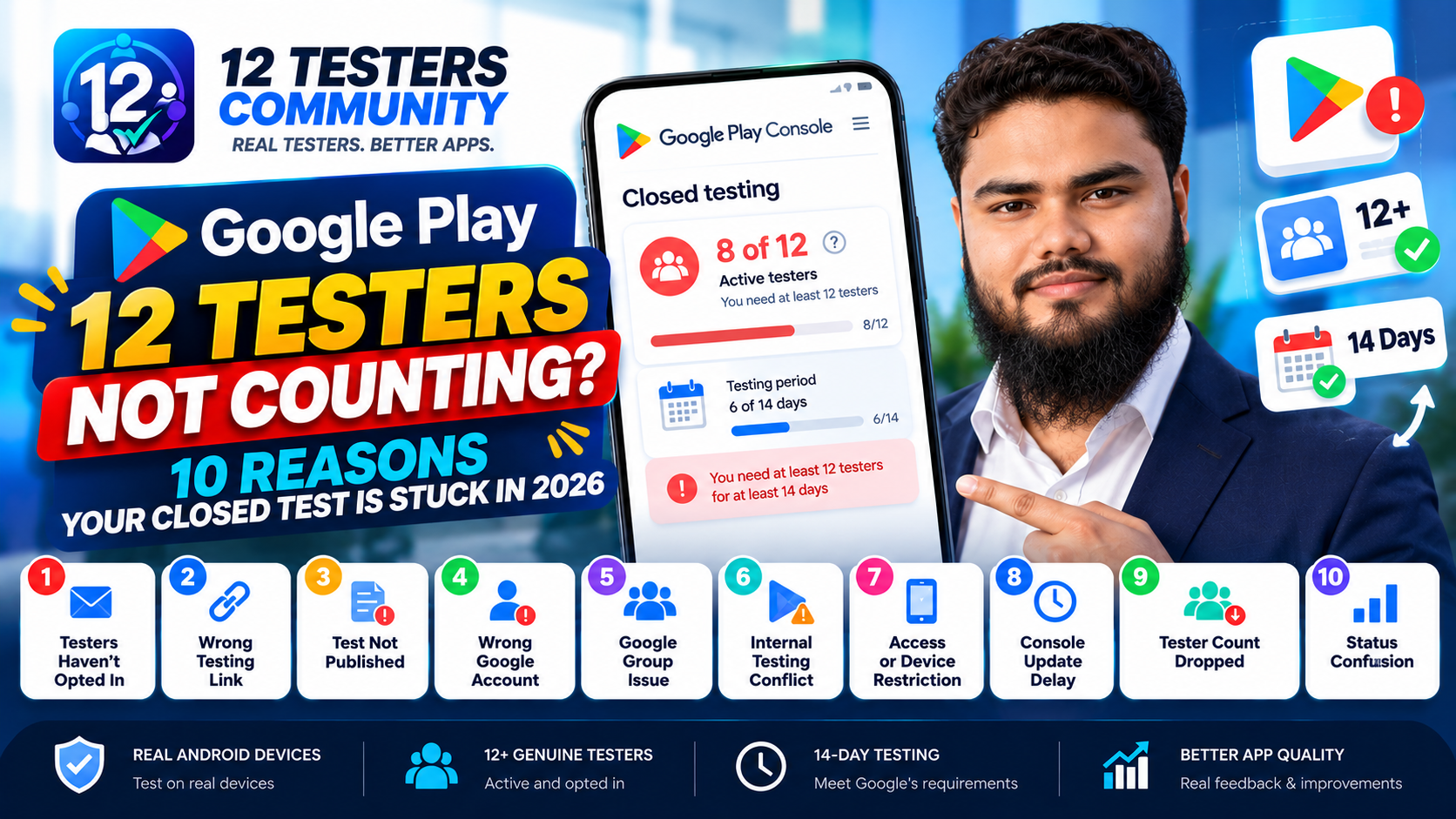
Last reviewed against Google Play Console Help: October 2026.
You added 12 people to your Google Play closed test. Play Console still shows fewer than 12 opted-in testers — or zero. Before you blame your friends, understand the distinction behind almost every stuck count: inviting a tester is not the same as a tester opting in. Your tester list decides who is allowed to join; it creates no opted-in tester.
This is a diagnostic guide. It assumes you already have people lined up and walks through the ten most common reasons the count does not move, what to check, and how to fix it. Every Google claim is quoted from Play Console Help and linked; the rest is labelled as practical troubleshooting. If you are still looking for testers rather than fixing a count, start with 7 legit ways to get 12 testers.
Quick answer
Play Console counts opted-in testers, not invitations.
A tester must sign in with the exact Google account you added, open the opt-in link, and tap the button to join. Only then does the counter move and that tester's continuous period begin. If any step is missing, the count stays put — and adding more email addresses will not change it.
Added → Invited
↓
Opened the opt-in link → Opted in
↓
Remained continuously opted in
↓
Counts toward the required 14-day period
The first two boxes are the only ones you can complete alone. The ten causes below map to the rest of that chain.
What Google actually counts
Google Play Console Help states that developers with personal accounts created after November 13, 2023 must run a closed test with a minimum of 12 testers opted in continuously for at least 14 days before the app is eligible for distribution. Until then, Production and Pre-registration stay disabled.
At the moment you apply: "At least 12 testers must be opted in to your closed test when you apply for production access, and they must have been opted in continuously for the preceding 14 days." (Play Console Help.)
Three words do all the work — opted in, continuously, preceding. It is a status held by a person over a window, not a number of names. Google publishes no daily open/minutes/session quota, and no documented tolerance for gaps. Compare what you are seeing against the ten causes below; most stuck counts are cause 1, 3 or 4.
1. You added 12 email addresses — but nobody opted in
What you see: 12 addresses on the testers list, and an opted-in count of 0 or far lower.
What it means: the invitation was never accepted. Adding an email grants permission to join and creates nothing. Google documents the flow as: the tester clicks the opt-in link, sees an explanation of tester responsibilities together with a link to opt in, and "each tester needs to opt in using the link."
Check: for each tester, confirm they received the link, know which account to use, and completed the opt-in. "I installed it" is not evidence of an opt-in.
Fix: re-send the opt-in link directly instead of telling people to look for the app, then confirm each tester in the testers view. See how to add testers to a closed test and what counts as an eligible tester.
2. You shared the wrong testing link
What you see: testers say they "joined", but the closed-testing count never moves.
What it means: they joined a different track, or were handed a normal store link instead of the opt-in link. The links are not interchangeable:
- The closed testing opt-in link — the only one that moves the closed-testing count.
- An internal testing link — a separate track with its own tester list. Google describes internal testing as distribution to up to 100 trusted testers, and it can run concurrently with closed testing. Opting into internal adds nobody to your closed test.
- The public Play Store listing URL — in a closed test before open testing or production, testers cannot find your app by searching Google Play, so share the store URL for the install step after they opt in.
Check: ask a tester for a screenshot of the page they landed on. If it does not mention becoming a tester for the closed test, they are on the wrong link.
Fix: copy the opt-in link from the closed testing testers view and send that exact link. The tracks are compared in internal vs closed vs open testing.
3. Your closed test is not Published
What you see: there is no opt-in link to share at all, or testers reach a page with no way to join.
What it means: Google documents that "the opt-in link displays only when an app status is 'Published'. Apps in 'Draft' or 'Pending publication' status do not display an opt-in link."
Check: the release status on the closed testing track. Related timing rule: after publishing a test for the first time, the test link can take several hours to become available, and additional changes can too.
Fix: complete the rollout so the app reaches Published, then re-check the link. If you have just published, wait before rebuilding anything — see cause 8.
4. The tester is using the wrong Google account
What you see: a tester insists they joined, and Play Console does not agree.
What it means: the account that opts in has to be the account you added. Google's prerequisite is simply that users need a Google Account or a Google Workspace account to join a test. Most phones have several accounts signed in, and the Play Store is often using a different one from the address your tester thinks of as "their email".
Check: on the tester's phone, open the Play Store and confirm which account is selected, then compare it character-for-character with your tester list. A typo is equally fatal — the invitation matches no account.
Fix: add the correct address, or have the tester switch the Play Store to the invited account. Practical troubleshooting, not a documented Google rule: ask testers to check this before you add them.
5. Google Group members have not joined the group
What you see: you added a Google Group, the group has members, and the opted-in count is still low.
What it means: group membership is not opt-in. Google states that "for closed tests using a Google Group, users must join the group before opting into your test." If your group invites people rather than adding them, they are not members until they accept — and until then the opt-in link will not work for them.
Check: the group's member list, not its invited list. Confirm each tester accepted.
Fix: add members directly where you can, and tell testers that joining the group is step one and the opt-in link is step two.
6. Your tester is already on the internal track
What you see: a tester who was already testing your app does not appear in the closed-testing count.
What it means: internal and closed testing are separate tracks with separate tester lists. Google describes internal testing as optional and recommended as a starting point, and notes internal tests can run concurrently with closed tests for different app versions. Nothing done on the internal track adds a tester to the closed test.
Check: confirm each "already testing" person is on the closed tester list and has completed the closed opt-in separately.
Fix: send them the closed-testing opt-in link.
Community-reported, not documented: some developers report that a tester already opted into an internal test has to leave the internal test before the closed opt-in takes effect. Google does not publish that, so treat it as something to try if a tester is stuck, not a rule.
7. The tester cannot access the test at all
A tester who cannot reach the app cannot opt in. Work through the access layer before assuming the count is broken.
"App not available" or "Item not found". Check: are they signed in with the invited account? Is the app Published? Is this the closed-testing opt-in link?
The opt-in works, but the app will not install. Check country availability and device compatibility. Google notes distributed countries and regions apply across all tracks, so a tester in an unlisted country cannot install. An unsupported device or excluded Android version has the same effect. A private app is also not searchable, so it must be reached through the correct link.
A paid app will not install. Check: Google states testers must purchase paid apps in open or closed tests, while internal testers install them free. A tester who will not buy it cannot complete the install.
The app never appeared on their device. Check: opt-in and install are two steps. Google says once testers install, the app automatically updates to the test version within a few minutes — so nothing appearing usually means they never installed from the Play Store link.
8. Play Console has not updated yet
What you see: everything looks correct, and the number simply has not moved.
What it means: propagation. The one thing Google documents is that after publishing a test for the first time, the test link can take several hours to become available, and additional changes can also take several hours. Everything beyond that is community experience.
Check: how recently you published or changed the release, and whether the opt-in link was reachable when your testers clicked. If both look fine, wait.
Fix, and its limits: practical guidance, not a Google requirement — if everything is configured correctly, give Play Console time to propagate before rebuilding the tester setup. Developers commonly report the console lagging opt-ins by a day or more, but Google publishes no universal delay, so do not treat any specific number you read online as official. Adding more testers will not help; time will.
9. Your count dropped from 12 to 11
What you see: the test was on track, and the opted-in count has fallen.
What it means: somebody opted out, changed account, or was removed. Google's FAQ explains the consequence: "Testers who opt in, test for fewer than 14 days, and then opt out do not count toward the requirement. If a tester opts out and opts back in later, the 14 days must be consecutive to count toward the minimum requirement of 12 continuous opted-in testers."
Read that carefully, because it is widely mis-stated. What ends is that tester's continuous period. Google does not publish a rule that one opt-out resets your whole test — what matters when you apply is whether 12+ testers have been opted in continuously for the preceding 14 days.
Check: the count now, and who left. Ending a track stops testers receiving updates, though the app stays installed.
Fix: replace the dropout immediately so their replacement can start their own run of days. Practical risk management, not a Google requirement: recruit a small buffer above 12 so one dropout does not put you below the minimum. See what resets or breaks your testing period and keeping 12 testers opted in for 14 days.
10. You are reading the wrong number
What you see: a number in Play Console that does not mean what you think it means.
What it means: different lists and counters are being conflated. Only one of them is the requirement:
- Added / invited — your tester list. Capacity, not progress. It does not move the requirement.
- Opted in — the number the requirement is written about. Watch this one.
- Installed — verify this yourself; it produces the usage and feedback your application will describe.
- Testing and feedback — what makes the test worth running, and what you must summarise when you apply.
Check: make sure the number frustrating you is the opted-in count on the closed testing track. A healthy test is not 12 names in a list — it is 12+ people who opted in, installed, used the app, and stayed opted in.
12+ people → Tester list
↓
Opt-in → Install → Testing
↓
Feedback → 14 continuous days
↓
Production access application
Troubleshooting flowchart
Work top to bottom. Stop at the first "no" and fix that before continuing.
Does Play Console show 12 or more opted-in testers?
No → check, in this order:
- Did each tester actually complete the opt-in? (cause 1)
- Is the link the closed-testing opt-in link? (cause 2)
- Is the app status Published? (cause 3)
- Is the tester signed in with the invited Google account? (cause 4)
- For a Google Group, has the tester joined the group? (cause 5)
- Are they on the closed track rather than internal? (cause 6)
- Can they install at all — country, device, paid app? (cause 7)
- Did you publish or change the release in the last few hours? (cause 8)
Count at 12+ — have at least 12 been continuously opted in for the preceding 14 days?
No → replace dropouts and let the window complete (causes 9 and 10), then re-check.
Yes → keep the test running and recording feedback, then prepare your application.
Symptom, likely cause, what to check
| Problem | What you see | What it usually means | What to check |
|---|---|---|---|
| 12 emails added, 0 opted in | Count stays at 0 | Nobody completed the opt-in | Send the opt-in link; confirm each tester |
| 12 invited, 8 opted in | Partial count | Four invitations were never accepted | Chase the missing four individually |
| Opt-in link unavailable | No link to copy | App is not in Published status | Complete the release rollout |
| Tester cannot access | "App not available" | Possible cause: wrong account, wrong link, country or device limits | Check account, link, country, device |
| Tester on the internal test | Closed count unaffected | Separate tracks, separate tester lists | Send the closed-testing opt-in link |
| Google Group tester cannot join | Link fails for them | They have not accepted the group invite | Confirm group membership first |
| Count temporarily lower | 12 drops to 11 | A tester opted out or switched account | Replace them; keep a buffer |
| 14-day requirement not complete | Count is 12+, still cannot apply | Not yet 14 continuous days | Wait out the window; verify at apply time |
How to verify your 12 testers
Before assuming the test is progressing, confirm each of these per tester. Official marks something Google specifies; Practical marks a recommendation.
| Check | Type | How to confirm |
|---|---|---|
| On the correct closed test | Official | Address appears on the closed tester list or group |
| Completed the opt-in | Official | They appear in the opted-in count |
| Correct Google account | Official | Play Store account matches the invited address |
| Can access the app | Official | They installed it from Google Play after opting in |
| Knows the instructions | Practical | They can say what to test and where to report |
| Remains opted in | Official | Re-check the count regularly |
| In the qualifying group | Official | 12+ opted in continuously when you apply |
| Feedback is recorded | Practical | You could paste your notes into the form |
The 14-day requirement, precisely
The rule has five parts, and mixing them up is what makes developers think a test has reset when it has not:
- A minimum of 12 testers. More is allowed; fewer does not qualify.
- Opted in. Written about opted-in testers, not invited ones.
- Continuously, for at least 14 days. Not 14 days accumulated across a longer stretch with gaps.
- Checked when you apply. Google's wording is "the preceding 14 days", so what matters is the state of your group at that moment.
- It makes you eligible to apply. Not guaranteed approval — Google reviews the application and can require more testing.
Google documents two reasons it may ask you to keep testing: fewer than 12 opted-in testers, or insufficient tester engagement during the testing period. Neither is a daily quota, and no fixed daily-use formula is published — so if you see a specific "minutes per day" figure quoted as a Google rule, it is not one.
Myths that cause confusion
- Myth: adding 12 emails gives you 12 testers. Reality: a list entry is capacity; only an opt-in counts.
- Myth: internal testing can replace closed testing. Reality: separate tracks, separate tester lists.
- Myth: 14 calendar days means production access. Reality: it makes you eligible to apply.
- Myth: Google publishes an exact daily-use quota. Reality: it does not, though it names insufficient engagement as a reason for continued testing.
- Myth: one tester opting out resets your whole test. Reality: that tester's continuous period ends; what matters is 12+ continuously opted in across the preceding 14 days.
- Myth: you need 20 testers. Reality: older guides still say 20; current Play Console Help says a minimum of 12.
- Myth: sideloading the APK is equivalent to installing the test. Reality: the documented flow is install from Google Play after opting in.
Troubleshooting checklist
Configuration
- ☐ The app is Published on the closed testing track
- ☐ You are sharing the closed-testing opt-in link, not an internal link or store URL
- ☐ Every tester address is spelled exactly as their Google account
- ☐ Google Group members have accepted and joined, not just been invited
Testers
- ☐ Each tester completed the opt-in and appears in the opted-in count
- ☐ Each tester installed from Google Play on the invited account
- ☐ Country availability and device requirements let them install
- ☐ They know to stay opted in for the full period
Timing and records
- ☐ You allowed for propagation before rebuilding anything
- ☐ You re-check the count regularly and can spot a dropout early
- ☐ You have a buffer above 12 so one dropout does not break the window
- ☐ Feedback and fixes are recorded as they happen
Applying for production access
Once at least 12 testers have been opted in continuously for the preceding 14 days, the Apply for production step becomes available on the Dashboard in Play Console. The application has three sections: About your closed test, About your app/game and About your production readiness.
Engagement questions are where a stuck-count habit hurts twice. Google asks you to describe tester engagement — whether testers used all available features and whether their usage matched your expected production users — and requires you to summarise your testing feedback when you apply. A test that only produced an opted-in number gives you nothing to write.
Google emails the account owner when the review completes, and publishes that review usually takes seven days or less, but can occasionally take longer. For the full walkthrough see how to answer the closed testing questionnaire. If you are refused, why production access is still refused after 14 days covers recovery, and how long closed testing takes sets expectations for the timeline.
Frequently asked questions
Why is Google Play not counting my 12 testers?
In most cases those testers never completed the opt-in. Play Console counts opted-in testers, not email addresses. Check, in order: did each tester open the opt-in link, is the app Published, and is the tester signed in with the exact account you invited?
Does adding 12 email addresses count as 12 testers?
No. Adding an address grants permission to join; it creates no opted-in tester. Google's documentation says each tester needs to opt in using the link.
Why does Play Console show 0 opted-in testers?
Either nobody has completed the opt-in, or the link was never usable — Google states it only displays when the app status is Published. The test may also be too new for the change to have propagated.
Why is my closed testing opt-in link not working?
Common causes: the app is not Published, you are sharing an internal-testing link, the tester is signed in with the wrong account, or — for a Google Group test — they have not joined the group. If you just published, the link can take several hours to appear.
Can internal testers count toward the 12 testers?
No. Internal and closed testing are separate tracks with separate tester lists. The requirement is written about testers opted in to your closed test.
What if a tester opts out during the 14 days?
That tester's continuous period ends, and opting back in restarts their 14 consecutive days. Get a replacement opted in quickly and keep 12+ testers continuously opted in across the window.
Why did my count drop from 12 to 11?
Someone opted out, changed account, or was removed. Compare the testers list with the opted-in count, chase whoever is missing, and add a replacement. This is the strongest argument for a buffer above the minimum.
How long does it take for Play Console to update?
Google documents that the test link can take several hours to become available after the first publish, and that additional changes can too. It publishes no exact figure for how quickly an opt-in appears — developers commonly report a lag, but any specific number is community experience, not policy.
Do testers need to use the app every day?
Google publishes no daily-use requirement — no minimum opens, sessions or minutes. It does name insufficient tester engagement as a reason it may require continued testing, so genuine use matters. More on that question.
What should I check before applying for production access?
At least 12 testers opted in continuously for the preceding 14 days; a feedback summary and a list of changes you made; evidence that testers genuinely used the app; and a complete store listing, content rating, Data safety section and test credentials.
Final checklist
A stuck count is almost always one of three things: nobody completed the opt-in, the opt-in link was never usable, or the tester is on a different account or track. Fix the cause rather than adding more names.
- ☐ The opt-in link is the closed-testing link, and the app is Published
- ☐ Every tester completed the opt-in with the exact invited account
- ☐ Google Group testers have joined the group
- ☐ Testers are on the closed track, not internal
- ☐ 12+ testers continuously opted in for the preceding 14 days
- ☐ Feedback, fixes and participation recorded and ready to summarise
- ☐ You understand this makes you eligible to apply, not guaranteed approval
The wider process is covered in getting 12 real testers, what to record during your 14-day test and the complete 14-day guide for 12 testers.
Still stuck with your Google Play tester setup?
12 Testers Community helps Android developers organise Google Play closed testing with real testers on real Android devices and structured testing support — testers who complete the opt-in correctly, install from Google Play, and stay opted in across the required period, with a written testing report you can draw on for your production access application.
Start your closed test or read the plans and pricing first. We do not promise Google approval — no one can.
